
How to Repair Noisy Radio Squelch Problems
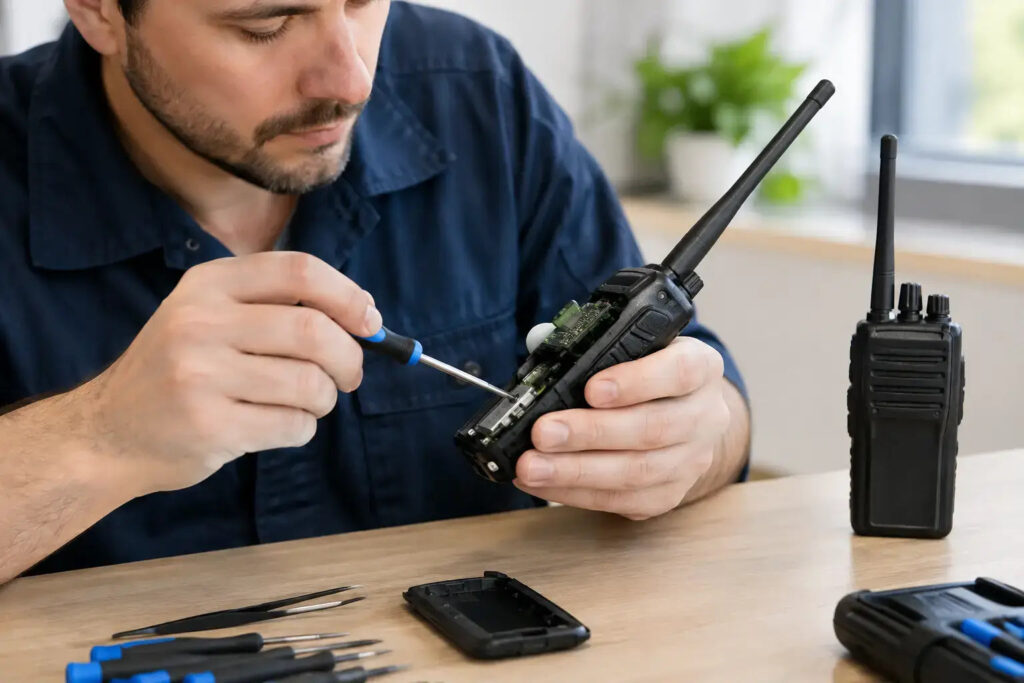
That squelch control is supposed to keep your speaker quiet until a real signal arrives. When it crackles, hisses, chops audio, opens at random, or refuses to close, the radio becomes a noise machine instead of a communications tool. To repair noisy radio squelch, first determine whether you have actual receiver noise, a dirty control, an antenna-system problem, or a fault deeper in the radio. Guessing at adjustment pots is how a simple repair turns into a bench project.
CB, ham, and commercial two-way radios handle squelch differently, but the diagnosis starts the same way: remove variables, listen closely, and change one thing at a time. A clean old Uniden, Cobra, President, Galaxy, Icom, Yaesu, or Radio Shack radio can outperform plenty of newer gear. It just needs the right fault fixed, not a fistful of random parts.
What Noisy Squelch Is Telling You
Squelch is a gate. The receiver detects noise when no usable signal is present, and the squelch circuit mutes the speaker until that noise falls below a selected threshold. Turn the control clockwise and the radio should require a stronger signal to open the audio.
A little background hiss with the squelch fully open is normal. Constant popping, rushing noise that changes with engine speed, audio that cuts in and out at one exact control position, or a squelch that never closes is not normal. Those symptoms point in different directions.
If the noise is present only when the antenna is connected, suspect the antenna, coax, grounding, or outside interference before condemning the radio. If the noise changes when you touch or rotate the squelch knob, the control itself may be dirty or worn. If the radio opens at random with a known-good antenna and quiet power source, receiver alignment, bad capacitors, shielding, or a damaged squelch circuit may be involved.
Start With the Simple Isolation Test
Before opening the case, power the radio from a known-clean source. In a mobile installation, that may mean testing with a fused bench supply or a battery away from the vehicle. Alternator whine, electric fuel pumps, LED lighting, inverters, USB chargers, and poor chassis bonding can make a perfectly good receiver sound terrible.
With the radio on the correct mode and channel or frequency, turn RF gain to maximum if your radio has it. Set volume to a comfortable level, then rotate squelch slowly from fully open to closed. Pay attention to what happens. Does the hiss disappear sharply and stay gone? Does it fade in and out? Does the control make scratchy noise as it turns? Does the radio stay silent until the knob is almost fully counterclockwise?
Next, disconnect the antenna. On many radios, the normal receiver noise should change noticeably. If the irritating noise vanishes or drops dramatically with the antenna removed, the radio is likely hearing something from outside or from the vehicle itself. Do not transmit with the antenna disconnected. This is a receive test only.
A dummy load can help separate antenna-system issues from receiver issues, but it will not make every radio silent. The goal is comparison. If the radio behaves normally on a dummy load but goes wild on the vehicle antenna, inspect the coax, mount, connectors, bonding, and nearby electrical accessories.
Clean the Squelch Control Before Replacing Parts
A dirty potentiometer is one of the most common and most satisfying fixes. The clue is usually a scratchy burst, dropouts, or an erratic threshold while the knob is moving. Older radios that have spent years in a truck cab, garage, or display case collect dust, nicotine residue, moisture, and oxidation. That grime does not care how collectible the radio is.
Unplug the radio, remove power, and open the cabinet only if you are comfortable working around electronic assemblies. Use a quality electronics contact cleaner suitable for potentiometers. Apply a small amount through the control’s access opening, then rotate the shaft fully back and forth several times. Let the cleaner evaporate completely before powering up.
Do not soak the front panel. Do not use household lubricants, penetrating oil, or brake cleaner. Those shortcuts can attack plastics, leave residue, and turn one noisy control into several. If cleaning improves the control only briefly, or the shaft feels loose and uneven, replacement is the honest repair.
When ordering a replacement, match more than the knob style. Shaft type, resistance value, taper, mounting arrangement, switch section, and lead layout matter. A control that looks close is not necessarily electrically correct. This is where model-specific parts save time and profanity.
Check the Antenna System and Mobile Noise
A squelch circuit cannot distinguish between weak radio noise and electrical trash entering through the antenna. That is why a bad coax connector or noisy accessory can make operators chase the wrong problem for hours.
Inspect the coax for crushed sections, green corrosion, loose PL-259 connectors, moisture intrusion, and sharp bends near the mount. Check that the antenna mount has a solid electrical bond where the antenna design requires one. A magnet mount, fiberglass antenna, or no-ground-plane antenna has different requirements, so do not apply a one-size-fits-all grounding rule.
For mobile CB installations, listen with the engine off, then running. Switch on headlights, blower motor, wipers, phone chargers, and other accessories one at a time. If the noise appears with a specific device, you found a lead worth chasing. Route power directly to the battery when appropriate, use proper fusing, improve chassis bonds, and address the offending accessory. Ferrite chokes can reduce some conducted noise, but they are not magic beans for a bad installation.
Also check antenna tuning with a reliable SWR meter before transmitting. High SWR does not usually create a scratchy squelch control, but it can reveal a damaged antenna system that deserves attention. Never adjust transmitter coils or internal alignment for an SWR problem that belongs outside the radio.
When the Radio Needs Bench Work
If the squelch control is clean, power is quiet, and the antenna system checks out, the fault may be internal. Common causes include dried electrolytic capacitors, cracked solder joints around controls or RF shields, contaminated board switches, damaged audio stages, and drift in the receiver or squelch detector circuit.
A radio that has been modified is especially worth inspecting carefully. Extra channels, clipped limiters, questionable “peak and tune” work, or previous repairs can leave lifted traces, wrong-value components, and misadjusted coils. More power does not fix bad receive. Usually it just makes the disappointment louder.
Technicians can trace the squelch voltage through the detector and control circuit with the correct schematic, meter, and signal source. That work varies greatly by model. A classic 23-channel CB, a PLL export radio, and a modern dual-band amateur mobile may all use different circuit layouts and test points. Service information for the exact model matters.
Avoid turning internal trimmer pots because a forum post said one is “the squelch adjustment.” Several adjustments can affect receiver sensitivity, signal strength indication, transmit deviation, or frequency-related circuits. Without a service manual and proper test equipment, mark nothing, turn nothing, and preserve the original settings. That is not timid repair work. That is how good radios stay good radios.
Replacement Parts Must Fit the Actual Radio
Legacy radio repairs often fail at the ordering stage. A squelch potentiometer from a similar-looking chassis may have a different value, pin arrangement, or mounting pattern. The same goes for switches, knobs, channel selectors, audio ICs, and small front-panel boards.
Read the model label, not just the brand name. Note any suffixes, revision numbers, board numbers, and whether the radio is base, mobile, or handheld. Clear photos of the original part and its wiring help prevent an expensive game of “close enough.” Scott Radio & Electronics specializes in the oddball, discontinued, and exact-fit parts that keep these radios in service instead of on a shelf.
If your radio is valuable, rare, or sentimental, keep the original removed part in a labeled bag even after a successful repair. It provides a reference later and preserves the radio’s story. Collectors understand that an old part can be as useful as an old manual.
A Quiet Receiver Is the Goal
The correct squelch setting is not always the tightest setting. Crank it too far clockwise and you will miss weak stations, distant repeaters, and the one call that mattered. Set it just beyond the point where background noise closes, then test it with real signals. Adjust for the way you operate: highway chatter, trail rides, local nets, or weak-signal DX all call for a different compromise.
A radio that goes quiet when it should, opens when a usable station calls, and does not sputter when you touch the knob is a radio ready for another long run. Fix the cause, use parts that actually belong in the chassis, and let that old receiver do what it was built to do.