
How to Choose a CB Radio Meter for Mobile Radios
Last Updated: November 12, 2026
Quick Summary
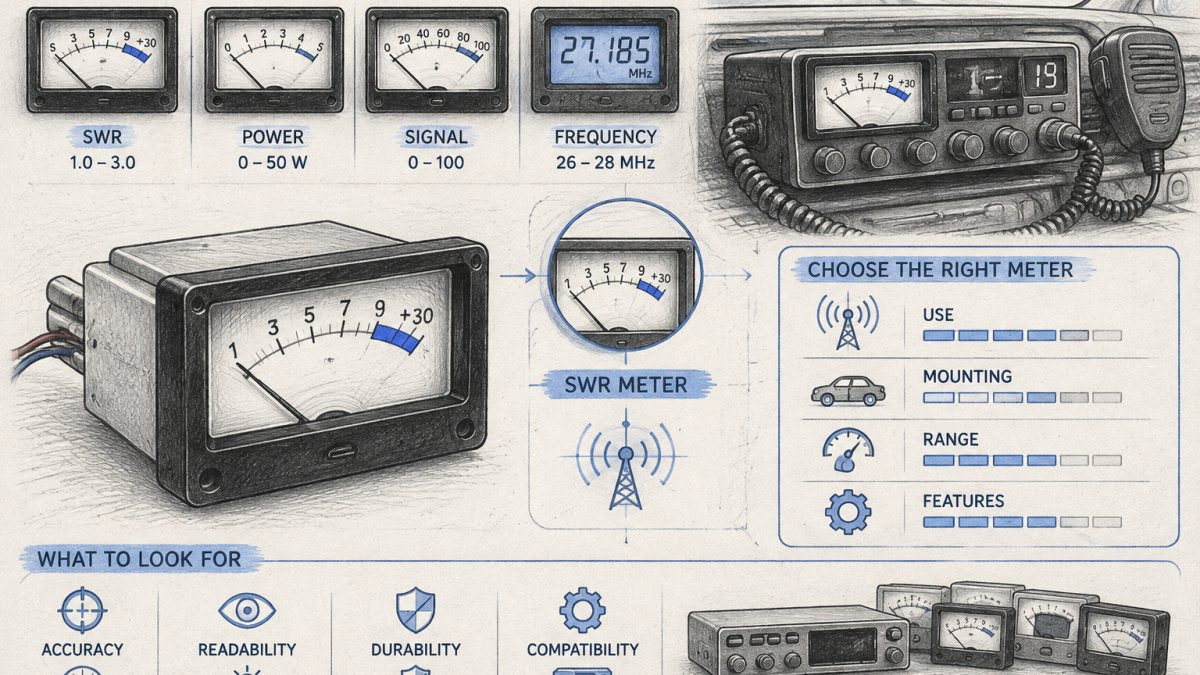
A CB radio meter is a diagnostic tool that sits between your radio and antenna and shows how well your antenna system matches your transmitter. For most mobile setups, choose an SWR/power meter with a low watt range, a backlit display, and a mounting bracket. Confirm it covers 27 MHz, uses SO-239 connectors, and matches your radio’s power range.
- An SWR-only meter reads reflected power as a ratio and suits a one-time tune of a stock 4-watt radio.
- An SWR/power meter adds forward and reflected wattage readouts, the practical sweet spot for mobile work.
- A reading under 1.5:1 is good, and above 2:1 you should stop transmitting and find the problem.
- Calibrate on the channel you are testing and key the mic for a full three seconds before reading.
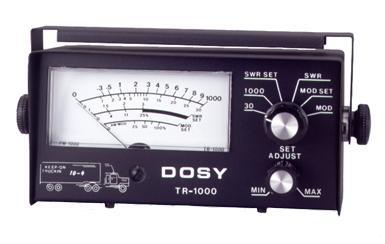
- The Dosy Trucker TR-1000 has a 4 1/2 inch backlit meter and two watt ranges of 0-30 and 0-1000.
Table of Contents
- What a CB Radio Meter Measures and Why Mobile Setups Need One
- Meter Types: SWR-Only, SWR/Power, and Antenna Analyzers
- A Buying Checklist for Mobile CB Meter Compatibility
- How to Use an SWR Meter for a CB Radio
- SWR Meter Calibration Best Practices for Repeatable Readings
- Troubleshooting Inconsistent or High SWR Readings in a Mobile Install
- Pick Your Meter and Add It to Cart
- Frequently Asked Questions
What a CB Radio Meter Measures and Why Mobile Setups Need One
A CB radio meter measures standing wave ratio, or SWR, which is the ratio of forward power leaving your transmitter to reflected power bouncing back from the antenna system. A healthy mobile install keeps that reflected power low, so more of your signal reaches the air and less of it heats up your radio’s final amplifier stage.
Here’s the short version: a CB radio meter is a diagnostic tool that sits between your radio and antenna and shows how well your antenna system matches your transmitter. High reflected power means a mismatch somewhere in the chain. That chain includes the radio, the coax, the mount, and the antenna itself. Every link matters.
Why does a mobile install need one more than a base station? Because a vehicle adds problems a shack never has:
- The antenna mount grounds through a moving, vibrating body panel
- Coax runs past ignition wiring and alternators
- Antenna height and position change with every parking spot
- Ground plane quality shifts with weather and rust
Keeping SWR low matters because high mismatch asks your radio’s final stage to absorb heat it was not designed to handle.
Meter Types: SWR-Only, SWR/Power, and Antenna Analyzers
Three instrument types cover nearly every mobile CB need: SWR-only meters, SWR/power meters, and antenna analyzers. They are not interchangeable, and the right pick depends on whether you are tuning one antenna, monitoring a working install, or diagnosing a whole system. Here is how they differ in practice.
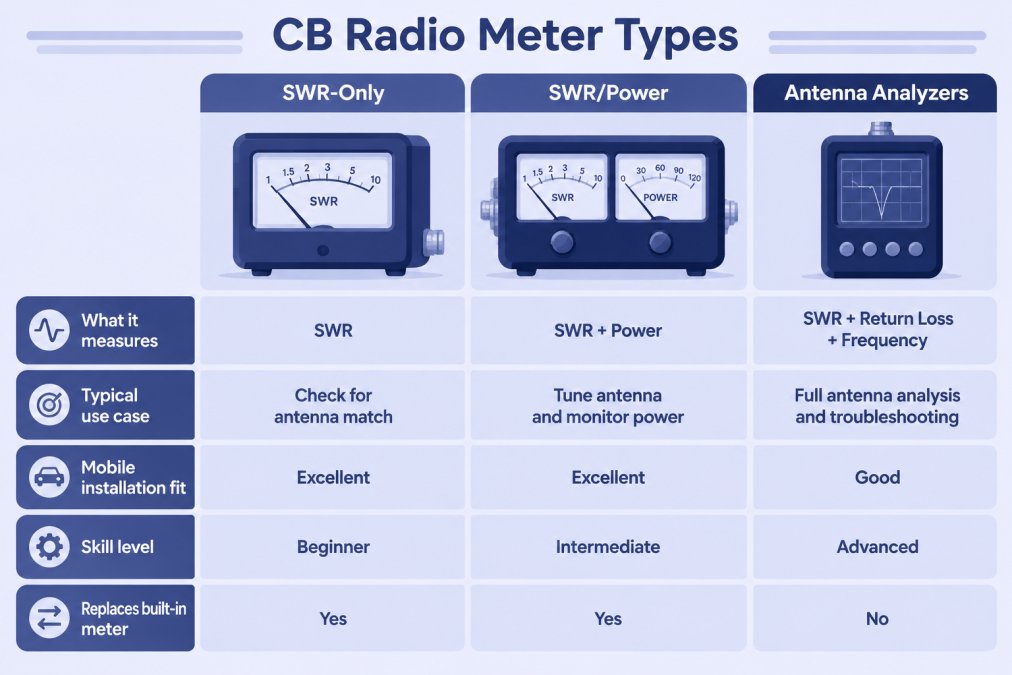
An SWR-only meter is a passive inline device that reads reflected power as a ratio. It has one job: tell you how well the antenna system matches the transmitter.
An SWR/power meter adds forward and reflected wattage readouts, usually with selectable ranges. This is the practical sweet spot for mobile work.
An antenna analyzer sweeps a range of frequencies and shows resonance and impedance across the band. It is the most capable tool and the most expensive.
A common pattern is to buy an SWR-only meter, then discover you also need a power reading to tell whether the radio or the antenna is at fault.
When a Standalone Meter Beats a Built-In Radio Meter
Most CB radios ship with a built-in S/RF meter. So why buy a separate one? Built-in meters share circuitry with the radio and often read in relative units, not calibrated watts. A standalone inline meter gives you a repeatable, calibrated reading you can trust across radios and antennas. If your built-in meter has gone dark, a replacement S/RF meter is one fix. But for tuning and troubleshooting, an inline meter is the better diagnostic tool.
If you want a backlight kit so your meter stays readable during night driving, we carry LED backlighting for meters and chassis that runs on 12VDC.
Here is how the three meter types compare for mobile CB work.
| Meter type | Best for | Key difference |
|---|---|---|
| SWR-only meter | One-time tune of a stock 4-watt radio | Reads reflected power as a ratio only |
| SWR/power meter | Monitoring a working mobile install | Adds forward and reflected wattage readouts |
| Antenna analyzer | Regular installers and multi-vehicle troubleshooting | Sweeps frequencies, shows resonance and impedance |
A Buying Checklist for Mobile CB Meter Compatibility
Before you add anything to cart, run through this checklist. It catches the mismatch problems that cause most returns.
- Frequency range covers 27 MHz. The CB band sits around 27 MHz. A meter built for VHF or UHF won’t read correctly here.
- Power range matches your radio. A 4-watt stock radio and a 100-watt export rig need different scales.
- Connectors are SO-239 or PL-259. Most CB gear uses these. Confirm before ordering.
- Coax impedance is 50 ohms. Anything else skews the reading.
- Display is readable in daylight. Backlit is better for mobile use.
- Mounting bracket included. A meter sliding around the cab is a meter you’ll stop using.
Power Range, Connectors, and Coax Fit
Power range is where buyers get burned most. A meter with a single 0-1000 watt scale can’t resolve a 4-watt signal with any precision. Look for a meter with a low range that covers your radio’s actual output.
Connectors matter just as much. If your meter uses SO-239 jacks, you need PL-259 plugs on your coax jumpers. A common mistake is ordering a meter and then discovering the coax won’t thread on. We stock SO-259 coax plugs that fit mobile and base setups, so you can build the jumper without a second order.
Coax fit is the third leg. Cheap RG-58 works fine for short runs. Longer runs or higher power call for RG-8X or better. Whatever you choose, keep the jumper short and the connectors tight.
How to Use an SWR Meter for a CB Radio
Using an SWR meter for a CB radio takes about five minutes once the meter is inline. The steps are simple, but the order matters.
- Turn the radio off. Never connect or disconnect coax with power on.
- Insert the meter between radio and antenna. Radio side to the transmitter jack, antenna side to the antenna jack.
- Set the meter to CAL. Key the mic and turn the calibration knob until the needle hits the set mark.
- Flip to SWR and read. With the mic still keyed, switch to the SWR position and note the reading.
- Check channel 1 and channel 40. Compare both ends of the band.
- Adjust antenna length if needed. Longer lowers the channel 1 reading, shorter lowers channel 40.
A reading under 1.5:1 is good. Between 1.5:1 and 2:1 is workable. Above 2:1, stop transmitting and find the problem.
For a mobile install, always test with the vehicle running and doors closed. The body affects the ground plane, and you want the reading you’ll actually transmit with.
SWR Meter Calibration Best Practices for Repeatable Readings
Calibration is what separates a useful reading from a guess, and on a mobile install the variables multiply. The goal is not just a low number but a number you can trust and reproduce. Work through these practices every time you take a reading.
- Calibrate on the channel you are testing. The calibration setting is frequency-dependent. Calibrating on channel 19 and reading on channel 40 will skew the result, especially near the band edges where antenna resonance changes fastest.
- Key the mic for a full three seconds before reading. Meter needles and digital displays settle. A reading taken the instant you key up can be several percent off.
- Keep the same jumper every time. Different coax lengths and connector quality shift readings slightly. If you change jumpers between tests, you cannot tell whether a change came from the antenna or the test setup.
- Route the jumper away from ignition wiring and the alternator. Induced noise and stray RF can make a digital meter jump and an analog needle twitch. A clean, short run improves repeatability more than most buyers expect.
- Verify the meter against a known load. A dummy load presents a stable 50-ohm impedance. If the meter reads high into a known-good load, the meter, the jumper, or a connector is suspect, not the antenna.
- Log your readings. Record channel, meter range, calibration setting, and the reading itself. A notebook or phone note beats memory when you are comparing before and after an antenna adjustment.
Repeatability is the real test. If your meter gives you the same number twice in a row on the same setup, you can trust it. If it wanders, the meter, the jumper, or a connector is the problem.
Watch out: calibrating with the vehicle off and then reading with the engine running can change the reading, because the alternator and ignition system affect the ground plane and noise floor. Test in the condition you actually transmit in, and note that condition in your log.
Troubleshooting Inconsistent or High SWR Readings in a Mobile Install
High or jumpy SWR readings almost always trace back to the antenna system, not the radio. Work through these in order.
- Check the mount first. A loose magnetic mount or corroded stud is the most common cause. If yours is worn, a magnetic mount with 20 feet of coax is a clean replacement. For grounding problems, a strong magnetic base with coil often fixes what a weak mount can’t.
- Inspect the coax. Look for pinches at door jambs and heat damage near the exhaust.
- Test the antenna off the vehicle. If SWR drops when the antenna is away from the body, the install is the issue.
- Check the ground plane. A fiberglass roof or a bed liner can isolate the mount.
- Look for water intrusion. Moisture in a connector changes impedance fast.
Watch out: transmitting into a high-SWR condition for more than a few seconds can damage your radio’s final transistors. If you see a reading above 3:1, stop keying and troubleshoot before you transmit again.
Pick Your Meter and Add It to Cart
Here’s where the checklist turns into a purchase. For most mobile CB setups, we recommend an SWR/power meter with a low watt range, a backlit display, and a mounting bracket.
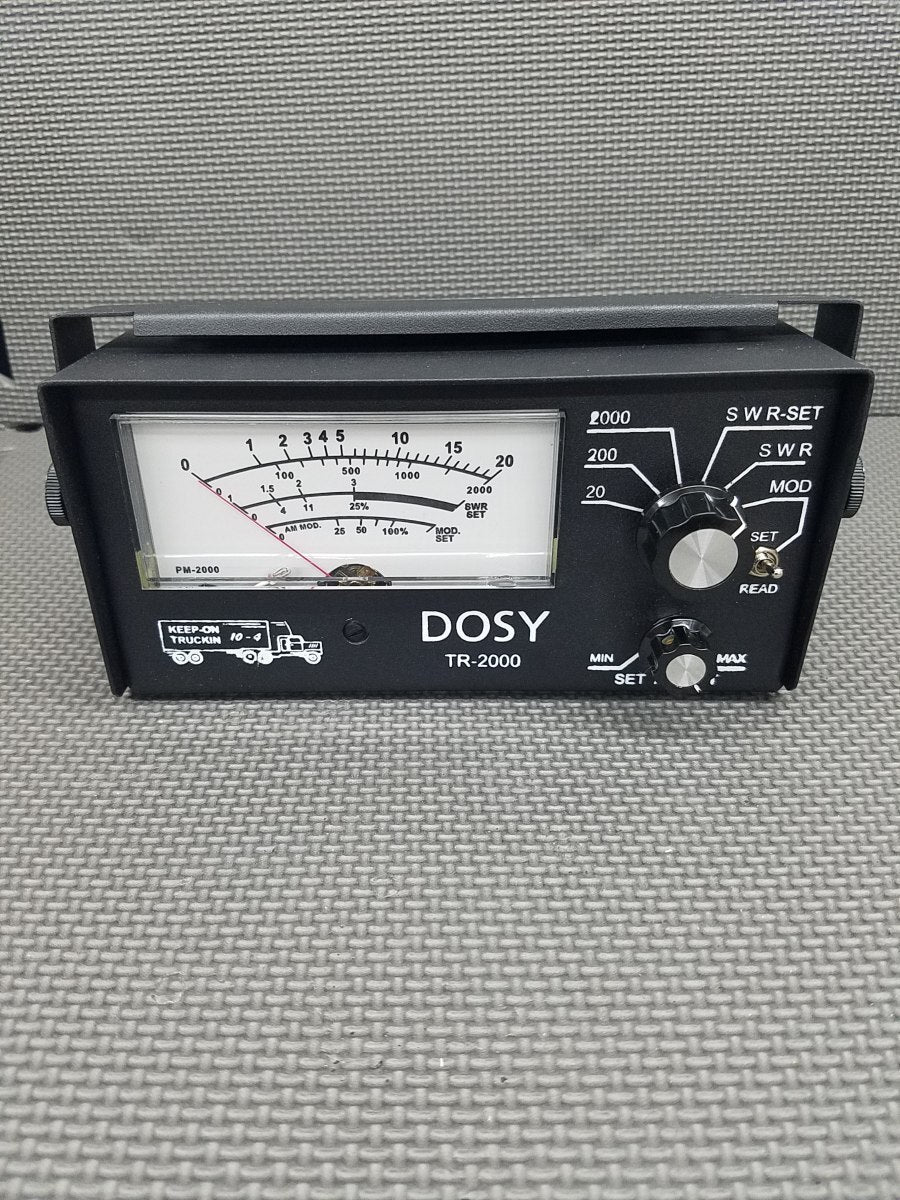
Our pick for truckers and serious mobile installs is the Dosy Trucker TR-1000 watt meter. If you run higher power, the Dosy Trucker TR-2000 adds three ranges (0-20, 0-200, and 0-2000) for $197.99.
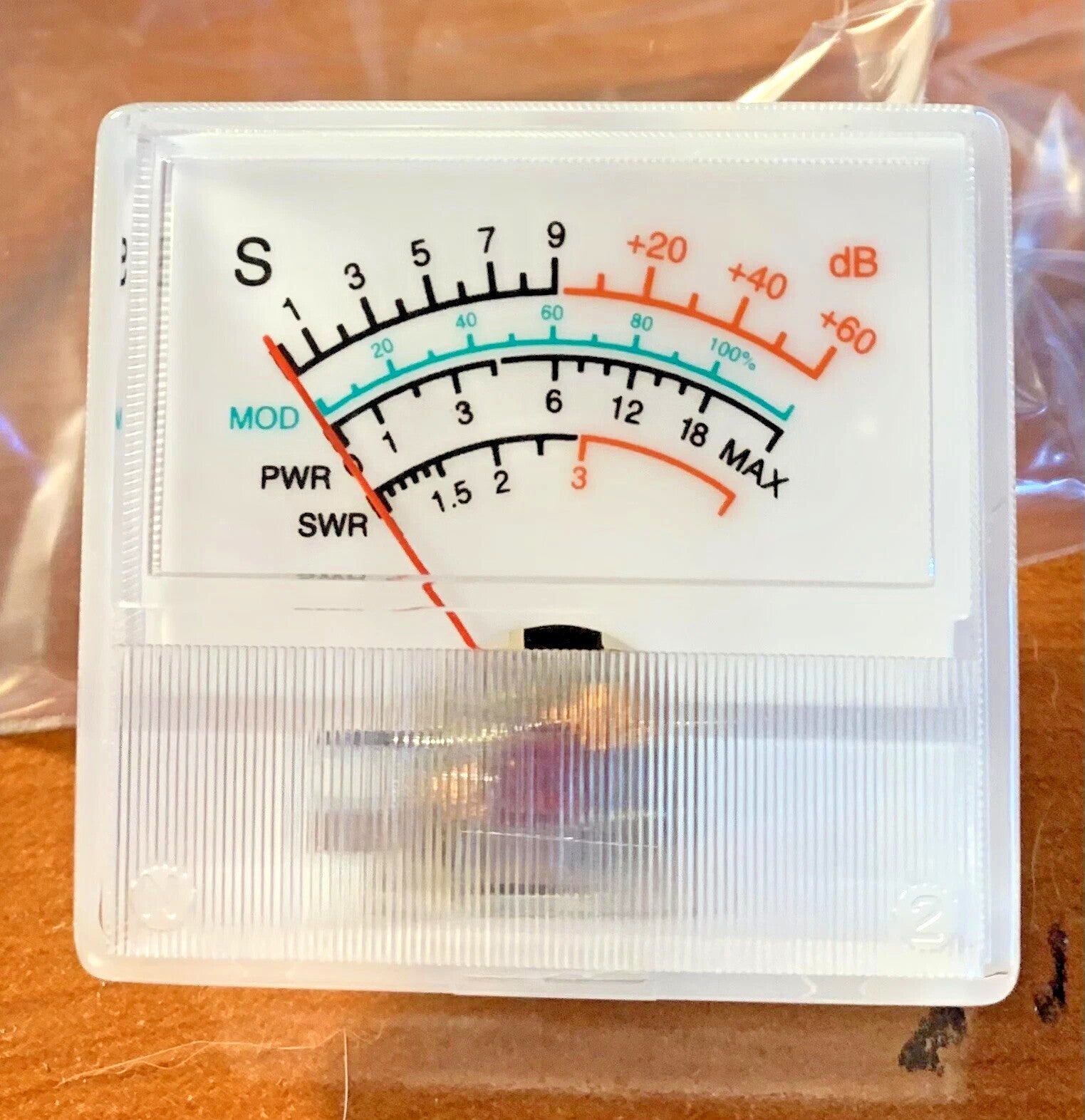
Restoring a classic rig instead? Our Galaxy DX S/RF meter is available at $59.95. For a Cobra 139XLR project, we have a tested SWR/MOD and S/RF analog meter pair for $30.00.
Every part we sell is organized by brand and model, and our founder, Jack Scott, personally oversees the customer experience.
Getting your mobile CB dialed in shouldn’t feel like a gamble.
Frequently Asked Questions
Do I need an external SWR meter if my CB radio has a built-in one?
Not always, but a standalone CB radio meter gives you a second opinion and often a larger, easier-to-read display. Built-in meters share circuitry with the radio and can drift, so many mobile users keep a standalone meter for setup and periodic checks. If your radio’s meter is small or hard to read from the driver’s seat, a standalone unit with a backlit 4 1/2 inch display, like the Dosy Trucker TR-1000, is an option to consider.
What is a safe SWR reading for a mobile CB antenna?
Aim for 1.5:1 or lower across the channels you use most. Readings between 1.5:1 and 2:1 are workable but worth improving through antenna tuning. Anything approaching 3:1 signals a mismatch that can stress the transmitter, so stop transmitting and check the coax, mount, and ground plane before continuing. Measure on channel 1 and channel 40 to see how flat your setup is across the CB band.
How do I calibrate an SWR meter for a mobile CB radio?
Connect the meter between the radio and antenna, set the meter to the calibration or forward-power mode, key the microphone, and turn the calibration knob until the needle sits at the set mark. Then switch to SWR and read the value. Repeat the calibration on each channel you test, since the set point can shift slightly. Keep the meter close to the radio so you can reach the controls while keyed.
Can a faulty SWR meter damage my mobile CB radio?
The meter itself does not damage the radio, but trusting a bad reading can. A meter that reads low when SWR is actually high may lead you to keep transmitting into a mismatched antenna, which stresses the final amplifier. Check your meter against a known-good antenna or a second meter if readings look suspicious, and inspect the coax jumper and connectors for wear before blaming the radio.