
Can an indoor TV antenna pick up HD channels?
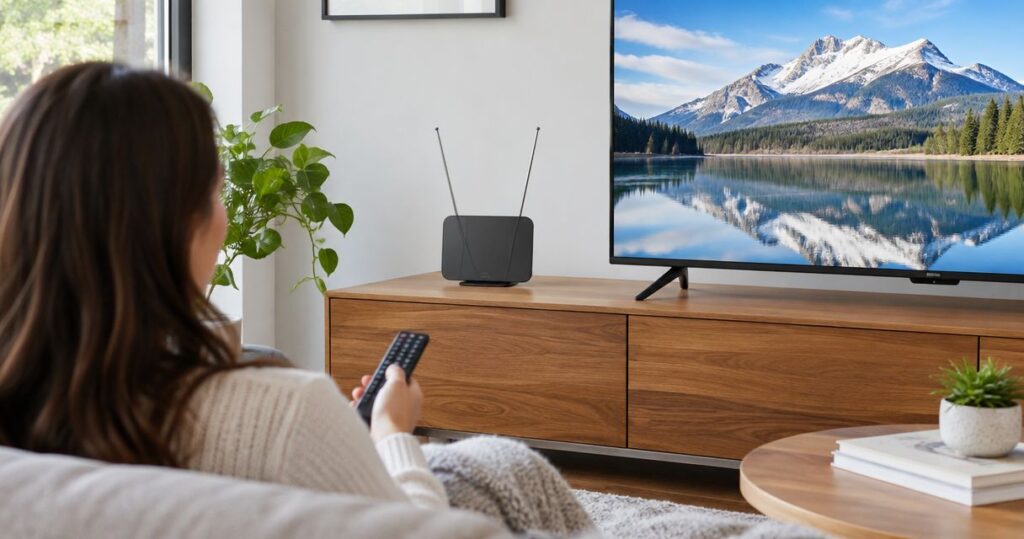
Yes—an indoor TV antenna can pick up HD channels when local stations broadcast them and a compatible TV tuner receives a strong enough signal. The antenna does not create HD or turn standard-definition programming into HD; picture resolution comes from the broadcast. In 2026, the right starting point is your local station coverage, your TV’s tuner, and an antenna position that works inside your home.
- Can an indoor TV antenna pick up HD channels? Yes—when local HD broadcasts reach a compatible television tuner.
- Match VHF and UHF coverage to local stations; an HD label alone does not establish reception.
- Test antenna placement and rescan before adding an amplifier or replacing equipment.
- Scott Radio & Electronics serves DIY electronics buyers; confirm model details and connections before choosing parts.
Can an indoor TV antenna pick up HD channels?
An indoor antenna can receive over-the-air HD television, but reception and resolution are separate checks. You need an available HD broadcast, an antenna suited to its frequency band, and a tuner that supports the broadcast format. Compare these requirements before choosing among TV antennas for cutting the cord.
| Requirement | What to check | What it does not establish |
|---|---|---|
| Local broadcast | The station reaches your address and transmits HD programming | Every subchannel carries HD |
| Antenna coverage | The antenna supports the station’s actual VHF or UHF broadcast channel | An HD label guarantees reception |
| TV tuner | The television supports the station’s broadcast standard | An HDMI input means a tuner is included |
| Indoor placement | Reception stays stable where the antenna sits | A successful scan means uninterrupted viewing |
| Coax connection | The cable and connectors match the television antenna input | Any radio antenna cable is an appropriate substitute |
For context, 720p represents 720 horizontal picture lines with progressive scanning, while 1080i represents 1,080 horizontal picture lines with interlaced scanning. Both are HD formats. Your antenna receives the radio-frequency signal carrying that programming; your tuner decodes it.
Why this matters
Buying an antenna marked HD does not solve the wrong frequency coverage, a poor location, or a missing tuner. Match the receiving system before replacing parts. That approach separates a reception problem from a television setup problem.
For a 2026 installation, begin with the equipment you already own. Read the television’s model label, identify its antenna input, and check the manual for tuner support before ordering anything.
How do you get HD channels with an indoor antenna?
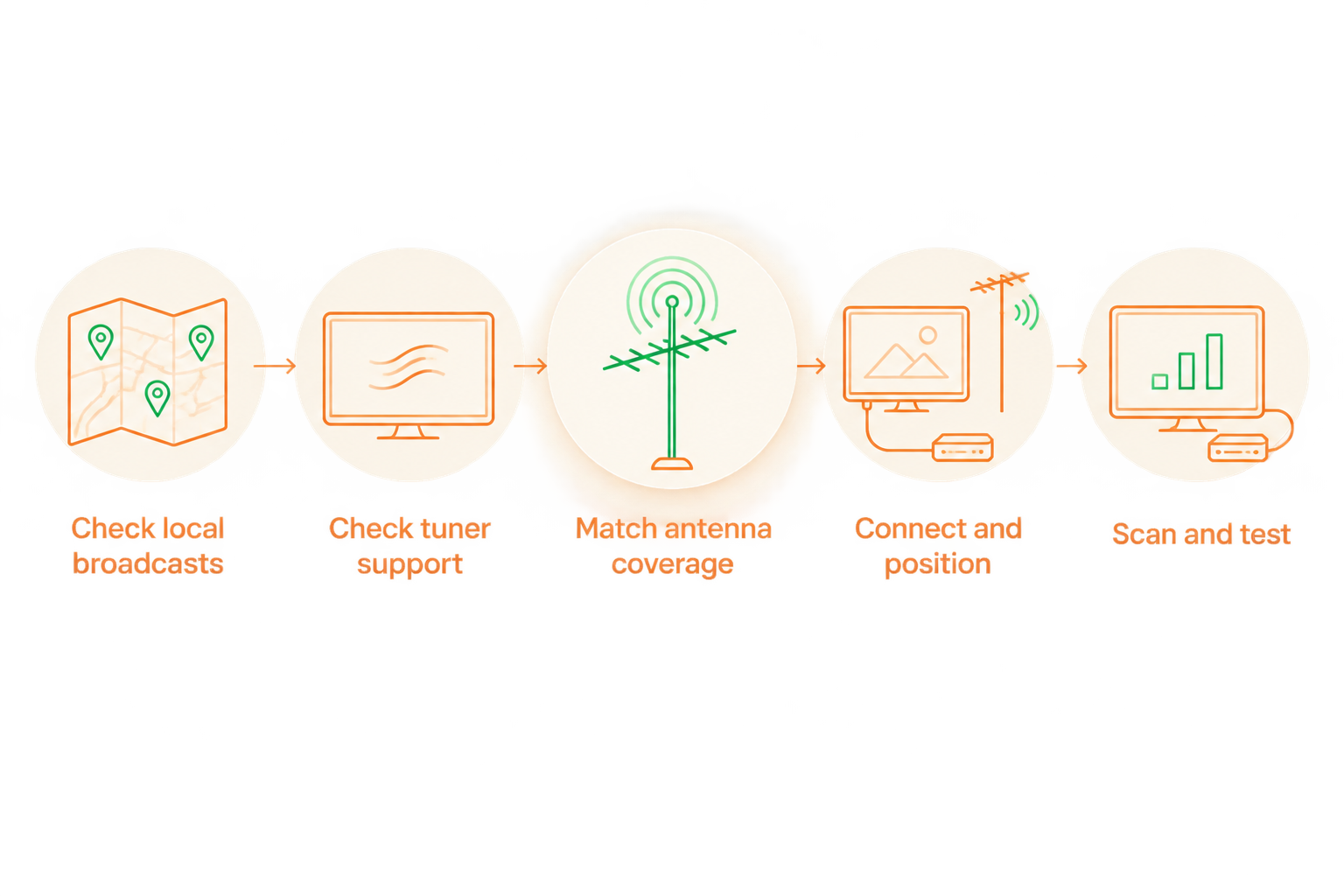
Use this sequence to isolate problems rather than changing several things at once. Keep notes on the stations you want, not just the total channel count.
Check local broadcasts
Use an FCC reception map or a station’s own reception information to identify broadcasts serving your address. Treat coverage predictions as a starting point: they do not reproduce the walls, nearby buildings, or indoor electrical noise at your antenna location.
Record the station’s actual RF channel and its transmitter direction. The familiar channel number displayed on your television can differ from the frequency channel used to transmit it.
Check tuner support
Look up the exact television model in its manual. A screen sold as a monitor does not necessarily include an over-the-air tuner, even when it has HDMI connections.
For conventional U.S. digital television, check for ATSC tuner support. ATSC 3.0 broadcasts require compatible receiving equipment; an antenna does not add that decoding capability to an older television.
Match antenna coverage
Check whether your wanted stations use VHF, UHF, or both. Do not assume a compact flat antenna covers every local station equally well.
An antenna’s construction and stated band coverage matter more than an HD badge. If a wanted station uses VHF, confirm VHF support explicitly rather than judging by appearance.
Connect and position
Connect the antenna to the television’s antenna or RF input using suitable TV coax. TV antenna systems commonly use 75-ohm coaxial cable; CB installations commonly use 50-ohm coax, which is not the default replacement for television cable.
Start with the antenna elevated and clear of large metal objects. Compare practical locations, including a window area, without assuming a window always gives the best result.
Scan and test
Select the television’s antenna, air, or broadcast source rather than cable mode, then run its channel scan. Follow the television manual because menu names vary.
Watch the wanted stations after scanning. If you move or rotate the antenna to search for missing stations, run another scan; if a stored station breaks up, use the signal-quality display while adjusting placement when your television provides one.
Passive indoor antennas: best for testing a simple setup
Best for: establishing a reception baseline without an amplifier. A passive antenna receives signals without a powered amplifier in the signal path.
The advantage is simpler troubleshooting: there is no amplifier power connection or gain setting to check. The limitation is that a passive setup cannot compensate for downstream cable or splitter losses through amplification.
Start with a direct antenna-to-TV connection when practical. If that receives your wanted stations reliably, adding powered equipment introduces another variable without solving an identified problem.
Amplified indoor antennas: best for addressing signal-path loss
Best for: installations where amplification addresses an identified loss or receiving-system need. An amplifier increases signal level, but it does not create a usable broadcast where the antenna receives none.
Amplification also raises unwanted signals and noise within its operating range. Strong nearby signals can overload an amplifier or tuner, so more gain is not automatically better.
For a 2026 setup, compare reception with amplification enabled and bypassed only when the equipment supports that test. Some powered antennas do not operate normally without power, making an unplugged comparison misleading.
| Indoor setup | Best for | Main advantage | Main limitation |
|---|---|---|---|
| Passive antenna | A simple reception baseline | Fewer powered components to troubleshoot | No amplification to address downstream losses |
| Amplified antenna | An identified need for additional signal level | Can address losses in the receiving system | Can amplify noise or contribute to overload |
| VHF/UHF antenna | Wanted stations spread across both bands | Covers both broadcast-band requirements | Still depends on placement and local signal conditions |
These categories overlap: a VHF/UHF antenna can be passive or amplified. Choose frequency coverage first, then decide whether amplification solves a specific problem.
Why indoor HD reception varies
Indoor reception depends on the entire signal path. These factors explain why an antenna can work at one address—or in one room—and fail elsewhere:
- Transmitter location and terrain: distance, hills, and blocked paths affect the signal reaching your building. Advertised range is not an address-specific reception prediction.
- Building materials: metal siding, reinforced construction, and some window coatings can reduce signals indoors. Compare locations rather than relying on the nearest window.
- Frequency coverage: VHF and UHF require suitable antenna coverage. A station’s displayed channel number does not reliably identify its broadcast band.
- Reflections: signals reflected by buildings or indoor surfaces can interfere with reliable decoding. Small placement changes can alter the result.
- Electrical interference: nearby power supplies, lighting, and other electronics can introduce noise. Test suspected devices individually without disturbing essential equipment.
- Cable, splitters, and gain: damaged coax, unnecessary splitters, and unsuitable amplification affect reception. Establish a direct connection before expanding the system.
Use stable reception on wanted stations as the success measure. A larger scan total does not help if the channel you watch regularly keeps dropping out.
What should you check before buying replacement parts?
Treat a television antenna problem like any other electronics repair: identify the connection and the failure before choosing a replacement. A loose connector calls for a different response than a television without the required tuner.
Use this buying checklist in 2026:
- Television: exact model number, tuner specifications, and a clear photo of the antenna input.
- Antenna: model number, stated VHF/UHF coverage, and any required power arrangement.
- Cable: connector type, visible damage, routing, and whether splitters or adapters are present.
- Symptoms: missing station, intermittent picture, complete signal loss, or failure to find channels during scanning.
- Tests completed: antenna positions tried, source setting checked, and results with a direct connection.
Scott Radio & Electronics is best suited to DIY electronics buyers who identify the model and connection before choosing a replacement. Its catalog spans CB repair parts and general electronics; that does not make a CB antenna, scanner antenna, or radio coax cable a television-compatible substitute.
When fit is uncertain, contact the store with model details and photos. Include the television label, antenna label, connector close-ups, and a short description of the fault, then ask whether the proposed item matches. Do not treat a similar-looking connector or a shared brand name as confirmation.
Will an indoor antenna make every local channel HD?
An indoor antenna receives HD only where the broadcast carries HD programming. A station can carry a main channel and additional subchannels with different picture formats; the antenna cannot upgrade their source resolution.
Check your television’s program information or signal-information screen for the received format. A soft picture on a stable channel is not, by itself, evidence that you need a stronger antenna.
Is an indoor antenna better than an outdoor antenna?
An indoor antenna is best for convenient indoor installation when reception is reliable. It avoids an exterior installation, but walls and indoor interference remain part of the signal path.
An outdoor location can provide a clearer receiving position, but it introduces mounting, weather exposure, and grounding requirements. If indoor tests fail, assess the installation requirements rather than buying increasingly powerful indoor amplifiers without a diagnosis.
Does an older antenna still work for HD in 2026?
An older antenna can receive HD in 2026 if its frequency coverage, condition, and connections suit the broadcast system. The antenna does not decode the picture format, so age alone does not establish incompatibility.
Inspect damaged elements, loose connections, and deteriorated cable before replacing the antenna. A television that lacks the necessary tuner needs compatible receiving equipment, not an antenna advertised with a newer resolution label.
FAQ
Can an indoor TV antenna pick up HD channels without internet?
Yes, an indoor TV antenna can receive over-the-air HD broadcasts without internet when connected to a compatible tuner. Separate streaming services and connected television features have their own requirements.
Do I need a special HD antenna for my television?
No, HD reception does not require an antenna solely because it is labelled HD. Match the antenna’s VHF/UHF coverage, the local signal conditions, and the television’s tuner requirements.
Why does my indoor antenna find channels but keep freezing?
Freezing usually indicates that the tuner cannot reliably decode the received signal. Check placement, interference, coax connections, and amplification rather than assuming the television needs replacement.
Will a stronger amplifier bring back missing HD stations?
A stronger amplifier does not guarantee that missing HD stations will return. Check the station’s broadcast band, antenna coverage, placement, and cable path first; excessive gain can make reception worse.
Can I use CB radio coax for my indoor TV antenna?
Use cable specified for your television antenna system rather than assuming CB coax is interchangeable. Television systems commonly use 75-ohm coax, while CB installations commonly use 50-ohm coax and different connectors.
Does a smart TV always have an antenna tuner?
Smart features do not establish whether a television includes the tuner you need. Check the exact model’s specifications for over-the-air tuner support and the appropriate antenna input.
What details should I send Scott Radio & Electronics before choosing a part?
Send the television and antenna model numbers, clear connector photos, and a description of the reception problem. Ask whether the proposed part matches your setup before ordering; appearance alone does not establish compatibility.
One last thing
Save the working antenna position before tidying the installation. Photograph its location and orientation, then check reception again after routing the cable and putting nearby electronics back into normal use.
Your best indoor position is the one that keeps the stations you watch stable—not necessarily the one nearest the television. Preserve that result before replacing more equipment.