

Best barcode scanners for small retail businesses in 2026
Best overall for a fixed checkout: a USB-connected 2D barcode scanner. Best for scanning around the shop: a Bluetooth 2D scanner. Best for printed linear labels only: a corded 1D scanner. This 2026 guide ranks scanner configurations by retail task, with the compatibility checks that matter before you buy.
- A USB-connected 2D barcode scanner is the default choice for a fixed small-retail checkout.
- Choose Bluetooth for mobility, presentation scanning for hands-free checkout, and batch collection for offline stock counts.
- Confirm POS support, barcode formats, connection mode, and actual label performance before choosing a model.
- Radio scanners and barcode scanners perform different jobs; radio antennas, speakers, and replacement boards are not checkout equipment.
Why this matters
The best barcode scanner is the one your checkout software accepts and your actual labels can read reliably. A successful scan must do more than produce a beep: the correct item needs to appear in the correct application field.
A radio scanner is a different device. Scott Radio & Electronics sells vintage radio replacement parts and general electronics; the radio-scanner parts discussed elsewhere on the site are not retail barcode readers. Keep that distinction clear when searching for equipment.
For your 2026 purchase, start with the checkout application and work outward. Establish which hardware it supports, which barcode formats you use, and whether the operator stays at the counter or walks around the store. Those answers determine the useful shortlist.
What makes the best barcode scanner
Use these criteria before comparing housings, accessories, or brand names:
- POS compatibility: Your point-of-sale software must support the scanner's connection and input mode. A matching plug alone does not establish compatibility.
- Barcode coverage: Match the reader to your actual symbols, including UPC, EAN, QR Code, or Data Matrix where needed. Check the supported-format list for the exact model.
- Connection method: Choose a cable for a fixed station, a supported wireless connection for movement, or batch collection for a documented offline workflow.
- Label performance: Test your smallest, curved, reflective, faded, and screen-displayed codes. Readability depends on the label and scanner together.
- Data handling: Confirm leading zeros, check digits, keyboard layout, and the character sent after each scan. These settings affect what your software receives.
- Physical fit: Check grip, trigger access, stand clearance, cable routing, and charging arrangements against the actual workspace.
Barcode scanner configurations at a glance
These are configuration recommendations, not a ranking of tested product models. Each option serves a different retail workflow; confirm the exact manufacturer's documentation before ordering.
| Rank and configuration | Best for | Standout feature | Key limitation |
|---|---|---|---|
| 1. USB-connected 2D imager | Fixed checkout with mixed barcode formats | Broad symbol coverage without wireless pairing | Cable restricts movement |
| 2. Bluetooth 2D scanner | Moving between shelves and a supported tablet or computer | Cordless scanning near the host device | Pairing and battery management |
| 3. Presentation 2D scanner | Hands-free scanning of small merchandise | Items move past a stationary reader | Bulky items are awkward to position |
| 4. Batch barcode data collector | Stock counts away from a connected checkout | Stores scan records for later transfer | Requires a compatible import workflow |
| 5. Corded 1D scanner | A documented printed-linear-label workflow | Focuses on traditional linear barcodes | Does not read QR Code or Data Matrix |
1. USB-connected 2D imager: best for fixed checkout
A USB-connected 2D imager reads supported linear and two-dimensional symbols and sends the decoded data to its host. Choose a model whose documented operating mode works with your checkout software, rather than assuming every USB reader behaves identically.
This is the default 2026 recommendation for a small store with a fixed checkout and varied merchandise. You avoid wireless pairing and a separate charging routine, while retaining access to supported two-dimensional codes.
USB-connected 2D imager pros:
- No wireless pairing step at the register.
- Supports both linear and two-dimensional formats when listed in the model specification.
- Keeps the scanner assigned to a defined checkout station.
USB-connected 2D imager cons:
- The cable limits reach and needs safe routing.
- Some tablet setups require a supported adapter or accessory arrangement.
- A handheld reader still needs a suitable resting place between scans.
Before buying, confirm the host operating system, available port, and required interface mode. Then check whether your POS expects a keyboard-style input device or a specific integration. Verify that the scanner sends the expected ending character after the barcode.
Best for: A fixed counter handling different package labels and supported digital codes.
Verdict: Buy this configuration for a fixed checkout after confirming POS support.
2. Bluetooth 2D scanner: best for moving around the shop
A Bluetooth 2D scanner sends supported barcode data wirelessly to a paired host. It suits tasks where bringing the reader to the merchandise is easier than bringing merchandise to the counter.
Choose it for shelf checks or a supported mobile checkout workflow. Do not confuse a Bluetooth connection with a complete inventory system: your application still determines where the scan goes and what happens next.
Bluetooth 2D scanner pros:
- Removes the cable between scanner and host during use.
- Lets you scan goods that are awkward to move.
- Works with a mobile host when the exact hardware and application support it.
Bluetooth 2D scanner cons:
- Requires charging and battery management.
- Pairing and reconnection need to work with the intended host.
- Wireless range depends on the equipment and surroundings.
Test a disconnect and reconnect before making this your main checkout reader. Also check what happens when the tablet sleeps, another application takes focus, or the scanner moves outside its supported connection area.
Best for: Staff who need to scan around the shop while remaining connected to a supported device.
Verdict: Buy for mobility; skip wireless complexity when the scanner never leaves the counter.
3. Presentation 2D scanner: best for hands-free checkout
A presentation scanner stays on the counter while you move merchandise through its reading area. Select a model that explicitly supports the symbols and operating mode your checkout requires.
The format suits small packages that you can comfortably turn toward a stationary reader. Counter position matters: the scanning window must be reachable without forcing an awkward wrist movement or blocking the bagging area.
Presentation 2D scanner pros:
- Leaves your hands available to handle merchandise.
- Provides a consistent scanning position.
- Avoids repeatedly picking up and setting down a handheld reader.
Presentation 2D scanner cons:
- Large or heavy goods are harder to position.
- Takes up a dedicated part of the counter.
- Reading performance still depends on symbol size, surface, and orientation.
Check how the scanner behaves when several visible labels pass through its reading area. Use your checkout application to confirm that it captures the intended code without unwanted repeated entries.
Best for: A counter dominated by small, easily handled merchandise.
Verdict: Buy for hands-free item handling; skip as the only reader for bulky goods.
4. Batch barcode data collector: best for offline stock counts
A batch data collector stores scan records for later transfer instead of requiring every scan to reach a connected checkout immediately. Choose this configuration only when its export format matches your inventory process.
Scanning an item identifier is not the same as recording a complete stock count. Your workflow also needs a clear method for quantities, locations, duplicates, and corrections.
Batch data collector pros:
- Supports collection away from a continuously connected host.
- Separates counting work from the checkout station.
- Can support structured stock-taking when its fields match your import process.
Batch data collector cons:
- Records do not automatically become live inventory updates.
- Export and import formats must agree.
- Duplicate handling and quantity entry need explicit rules.
Before your 2026 stock count, run a complete sample from scanning through import. Include a repeated item, an unknown barcode, and a corrected quantity. Check the final inventory result, not just the file on the collector.
Best for: Planned stock counts with an established offline import process.
Verdict: Buy only after validating the complete scan-to-import workflow.
5. Corded 1D scanner: best for printed linear labels only
A 1D scanner reads supported linear barcodes. This configuration fits a narrow workflow where every required label is a supported printed linear symbol and there is no requirement to read two-dimensional codes.
For example, a UPC-A symbol encodes 12 digits, while an EAN-13 symbol encodes 13 digits. Those established format lengths help you check sample output, but they do not replace the scanner's supported-symbol list.
Corded 1D scanner pros:
- Matches a clearly defined linear-label task.
- Avoids wireless pairing and charging routines.
- Provides direct input to a compatible host through its supported interface.
Corded 1D scanner cons:
- Cannot read QR Code or Data Matrix symbols.
- Cable reach restricts movement.
- Screen-reading capability must be checked for the exact reader technology and model.
Do not choose this configuration simply because your current shelf labels look familiar. Review supplier labels, returns handling, and any planned digital coupon workflow first.
Best for: A stable, documented checkout process using only supported printed linear barcodes.
Verdict: Buy for a verified linear-only task; skip if two-dimensional codes are required.
Check the complete scan path before buying
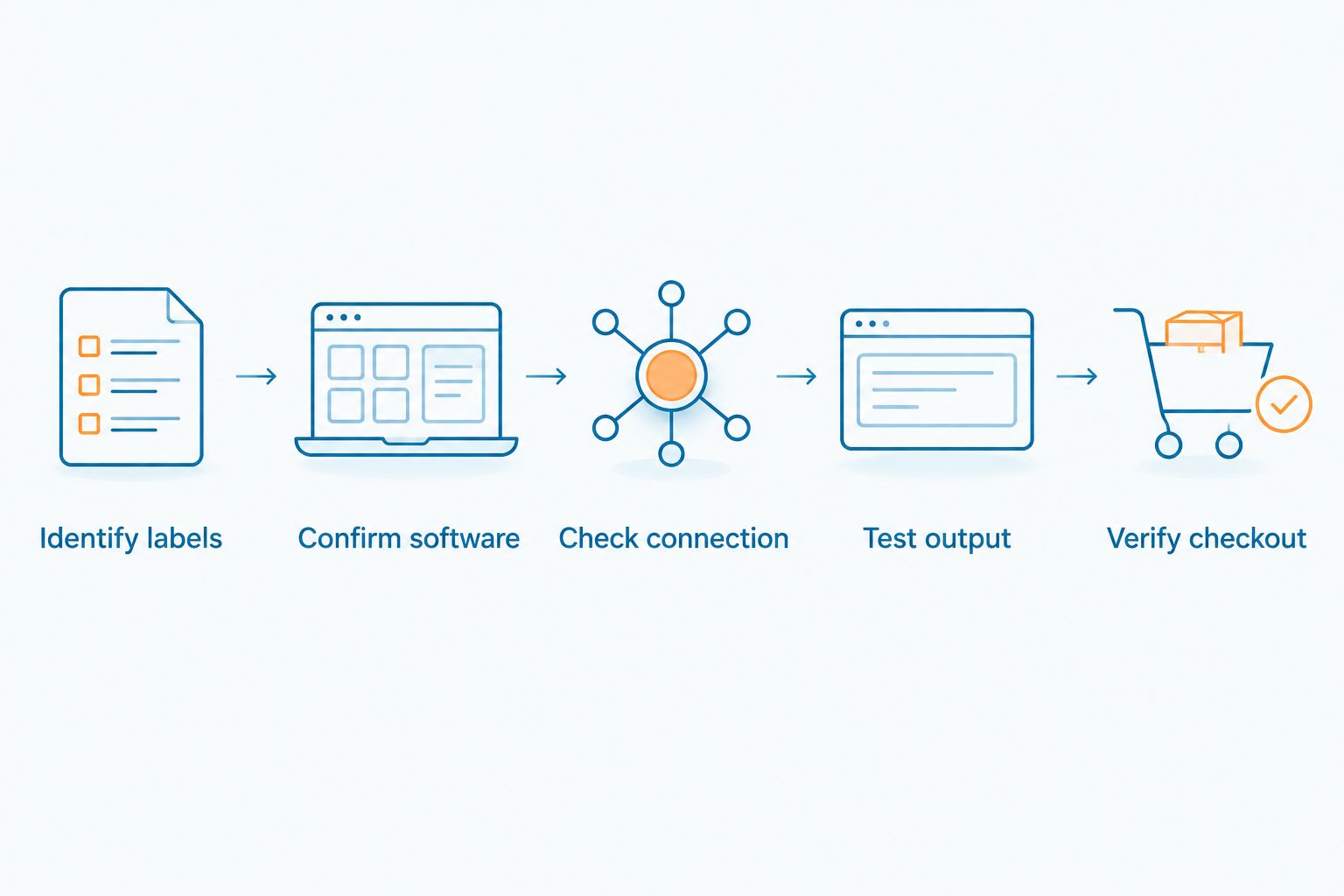
Use this sequence to separate a scanner problem from a software or label problem. Keep the exact scanner model and interface mode in your notes so another person can reproduce the result.
- Identify labels: Collect representative packaging, shelf labels, and any phone-displayed codes you actually need.
- Confirm software: Check the POS provider's supported hardware and connection requirements.
- Check connection: Verify the port, adapter, pairing method, and scanner input mode.
- Test output: Compare captured text with the expected barcode value, including leading zeros.
- Verify checkout: Scan into the actual sale or inventory screen and confirm the correct item and action.
A plain text field helps reveal what a keyboard-mode scanner sends. It does not prove that the POS supports the scanner or maps the barcode to the right product. Finish the test inside the application you will use.
The matching discipline also applies to replacement electronics. Scott Radio & Electronics is best suited to hobbyists and DIY repair customers choosing vintage radio replacement parts. For a radio-part question, contact the store with the exact model, revision markings, connector details, and clear photos; barcode-POS compatibility questions belong with the scanner manufacturer and POS provider.
How the configurations are ranked
The order prioritizes fixed-checkout compatibility, barcode coverage, and the practical demands of each task. Mobility, hands-free operation, and offline collection earn separate recommendations because they solve different problems.
This 2026 guide does not assign model-level durability, speed, or performance scores. Those require evidence for the exact product. Use manufacturer documentation and a representative-label test to choose within the recommended configuration.
Which barcode scanner should you choose?
Choose a POS-supported USB-connected 2D imager unless your workflow requires movement, hands-free presentation, or offline collection. It is the clearest starting point for a fixed small-retail checkout.
Choose Bluetooth for connected movement, presentation scanning for small goods passed across a counter, and batch collection for validated offline counting. Reserve a corded 1D reader for a confirmed linear-only workflow. Buy to the task, not the shape of the housing.
FAQ
What's the best barcode scanner for a small retail business?
A POS-supported USB-connected 2D imager is the default choice for a fixed small-retail checkout. Choose another configuration when you need cordless movement, hands-free scanning, or offline stock collection.
Is a 2D barcode scanner better than a 1D scanner?
A 2D imager is the better choice when you need supported two-dimensional symbols as well as linear barcodes. A 1D reader remains suitable for a verified linear-only task, but it cannot read QR Code or Data Matrix.
Will any USB barcode scanner work with my POS?
No, a USB connection alone does not establish POS compatibility. Confirm the exact scanner, host operating system, interface mode, and application requirements before buying.
Can a barcode scanner read codes from a phone screen?
A scanner with documented screen-reading support can read supported codes displayed on a phone. Test the exact model with the code format, display conditions, and application you intend to use.
Do I need Bluetooth for inventory counting?
No, Bluetooth is not required for every inventory workflow. A connected reader or batch data collector can also fit the task, depending on your software and where counting happens.
Why does my barcode scanner beep without adding the correct item?
A beep does not prove that the correct item reached your POS. Check the decoded text, active input field, barcode-to-item mapping, and scanner settings for prefixes, suffixes, and leading zeros.
Are radio scanner parts suitable for a retail barcode scanner?
No, radio scanners and retail barcode scanners perform different functions. Radio receiver boards, antennas, knobs, and accessory speakers are not substitutes for barcode-reading hardware.
One last thing
Keep a known-good label beside the register. When scanning fails, compare that label with the troublesome one before changing settings. Then check captured text and the POS item record; replacing hardware will not correct a missing barcode-to-product mapping.
For a 2026 equipment decision, save the exact model designation, setup instructions, and working configuration with your checkout records. For vintage radio repairs, keep the same kind of model-and-part notes when contacting Scott Radio & Electronics.