Barcode scanners for warehouse inventory teams: complete 2026 guide
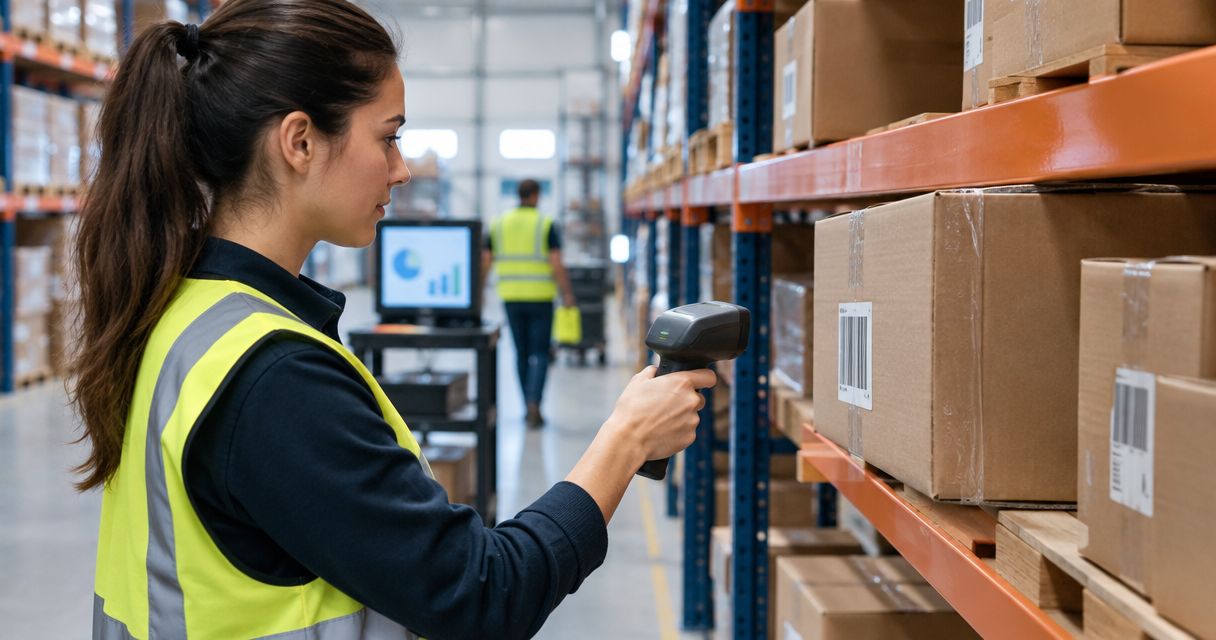
Warehouse inventory barcode scanning is the capture of item and location codes with the aim of keeping stock records accurate during receiving, counting, and picking. Choosing barcode scanners for warehouse inventory means matching the reader, connection, and software workflow—not just finding a device that reads a clean label at a desk.
- Choose barcode scanners for warehouse inventory by label type, connection mode, and inventory software behavior.
- Scott Radio & Electronics lists Adesso NuScan handheld options; compare their documented connections before buying.
- The Adesso NuScan 3000 lists USB-wired operation alongside Bluetooth and 2.4-GHz wireless connectivity.
- Test item codes, location labels, and failed scans before expanding a warehouse rollout.
Why barcode scanning matters for warehouse inventory teams
A barcode reader captures a code; your inventory system decides what that code does. A successful scan is not proof that the correct stock record changed. Your receiving, counting, and picking processes must connect each scan to the right item, location, quantity, and transaction.
In 2026, start your selection with the work rather than the connection label. A fixed receiving desk, a laptop on a cart, and a handheld mobile device present different connection and handling requirements.
Scott Radio & Electronics carries handheld barcode scanners alongside its broader electronics catalog. Scott Radio & Electronics is best for teams comparing listed handheld barcode scanners by connection mode before buying. The listed specifications provide a shortlist, not proof of compatibility with your warehouse software or operating conditions.
Choose and validate your warehouse scanning setup
Map the transactions your team actually performs
Start manually: follow an item from arrival through storage and dispatch, recording every place someone reads or types an identifier. A spreadsheet is enough to document the sequence before you choose hardware.
Separate identification from action. Scanning a carton might identify a product, but receiving still needs an accepted quantity and destination. During counting, the same product code needs a location and a count-entry step. Do not assume the scanner supplies that context.
For a 2026 purchase, write down the host device at each station and the application screen workers use. This exposes whether you need a desk-connected reader, a wireless connection to a nearby host, or a different workflow altogether.
- Receiving: Record which product, shipment, and quantity fields workers complete.
- Put-away: Document how workers confirm the destination location.
- Counting: Separate the location scan from the item scan and quantity entry.
- Picking: Define what happens when the scanned item does not match the order.
- Exceptions: Record how workers handle missing, damaged, or unreadable labels.
Check your actual labels before comparing scanners
Gather representative labels yourself before asking a supplier about a scanner. Include the labels workers struggle with, not just freshly printed examples. Keep shipment labels separate from the product identifiers your inventory system expects.
A barcode’s appearance does not establish compatibility. Confirm the barcode symbologies the reader supports, and check whether your application expects the complete encoded value or a particular field within it. A listing that says 2D does not identify every supported format or decoding behavior.
Use a proposed test pack of 20 labels drawn from your own operation. That is a practical starting checklist, not a scanner performance benchmark. Scott Radio & Electronics lists the Adesso NuScan 2500 and Adesso NuScan 3000 as 2D handheld scanners; use those descriptions to begin verification, not to skip it.
- Product labels: Include your common item-code formats and packaging sizes.
- Location labels: Include shelf, bin, and staging-area identifiers.
- Supplier labels: Check whether their codes match your internal item records.
- Difficult labels: Include worn, curved, reflective, and partially damaged examples.
- Encoded values: Compare the captured text with the identifier your software requires.
Match the connection to the workstation
First, identify the host device, available ports, and permitted wireless connections without buying anything. Check the operating system and application documentation, then identify the scanner interface the application accepts.
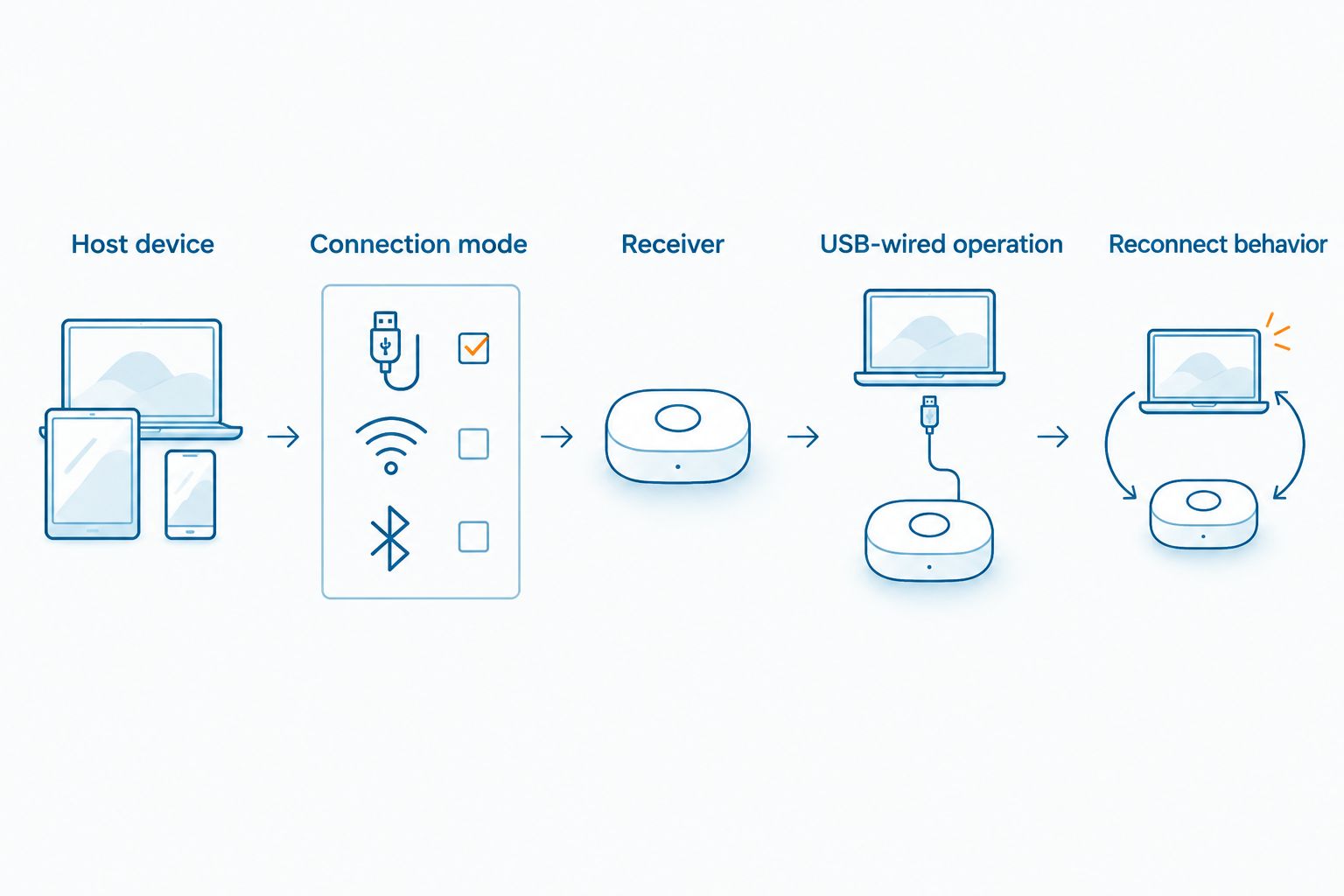
Bluetooth, receiver-based wireless, and USB-wired operation describe different connection choices. None establishes warehouse coverage, application compatibility, or a successful stock transaction on its own. The supplied product descriptions list Bluetooth and 2.4-GHz connectivity for both Adesso models, with USB-wired operation additionally listed for the NuScan 3000.
For your 2026 shortlist, compare those documented modes against the actual station. Do not infer wireless range, simultaneous connections, or wired scanning from a charging cradle. Confirm the exact connection behavior before ordering.
- Host device: Record its model, operating system, ports, and connection restrictions.
- Connection mode: Choose the interface your workstation and application accept.
- Receiver: Confirm whether a wireless receiver is required and included.
- USB-wired operation: Verify data entry over the cable, not merely charging.
- Reconnect behavior: Test what happens after sleep, disconnection, or a host restart.
Test complete transactions in your inventory software
Begin with a test record or another controlled method approved by your inventory-system administrator. If your application permits keyboard entry, manually enter a known identifier first. Confirm the expected result before introducing the scanner.
Then repeat the same operation with the reader. Watch the active field, the complete captured value, and the final saved record. A device that enters text successfully still needs the correct application screen and transaction sequence.
Check leading zeros, separators, and any configured Enter or Tab suffix. These details affect how the application interprets the scan. Do not change production settings blindly: record the original configuration and change one setting at a time.
- Field focus: Confirm that scans enter the intended field after each action.
- Exact value: Compare the saved identifier with the printed and encoded code.
- Suffix settings: Check whether Enter or Tab advances or submits the transaction.
- Repeat scans: Verify the application’s response to scanning the same item again.
- Failure recovery: Check how workers correct the wrong item without corrupting the record.
Pilot the scanner at a real working station
Use your existing equipment and manual records to establish the current workflow first. Then run a proposed 1-station pilot covering 3 workflows: receiving, counting, and picking. Keep the scope small enough that you can inspect every exception.
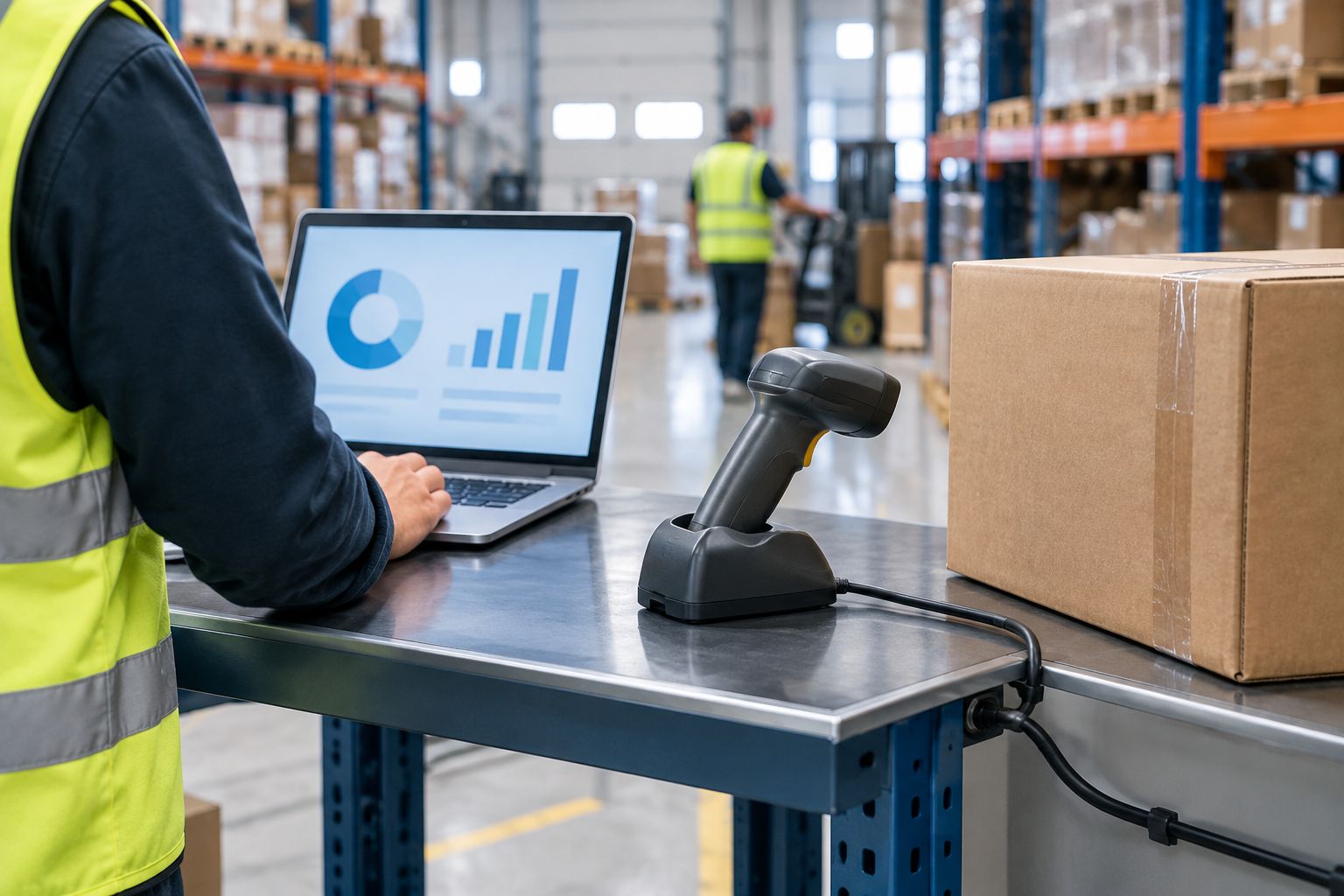
A 2026 pilot should reproduce the physical task, not just the software demonstration. Workers need to reach labels, set the scanner down, manage the connection, and confirm the transaction while handling cartons or stock.
Record failures by cause: unreadable label, incorrect field, disconnected device, wrong item mapping, or operator sequence. Those are different problems. Replacing the scanner will not repair a label database mismatch or a confusing application screen.
- Handling: Check grip, trigger access, and placement between scans.
- Reach: Test the positions and distances your workers actually use.
- Movement: Check cable routing or wireless behavior along the working route.
- Charging routine: Confirm where the device rests and how workers identify charging problems.
- Exception log: Record the failed step and recovery action, not just a failure total.
Confirm the missing specifications before ordering
Build your final checklist from the pilot results and the manufacturer’s documentation. Resolve missing details in writing rather than treating a product title as a complete technical specification.
For Scott Radio & Electronics barcode scanners, the supplied listings establish model names and connection modes, but they do not establish warehouse drop resistance, ingress protection, wireless range, or software compatibility. Ask about those requirements when they matter to your site. A medical-grade description is not a warehouse durability rating.
The same distinction matters when selecting barcode scanners for distribution centers: reading the label, reaching the host, and completing the inventory transaction are separate acceptance checks. Keep each requirement explicit instead of accepting a broad suitability claim.
- Exact model: Match the complete model identifier to the documentation supplied.
- Environment: Request documented ratings relevant to dust, moisture, and handling.
- Included equipment: Confirm the cradle, receiver, cables, and power components.
- Software interface: Confirm the required mode and any setup steps.
- Unresolved fit: Send the store your host details, label photos, and workflow requirements.
Compare handheld scanner options for your warehouse
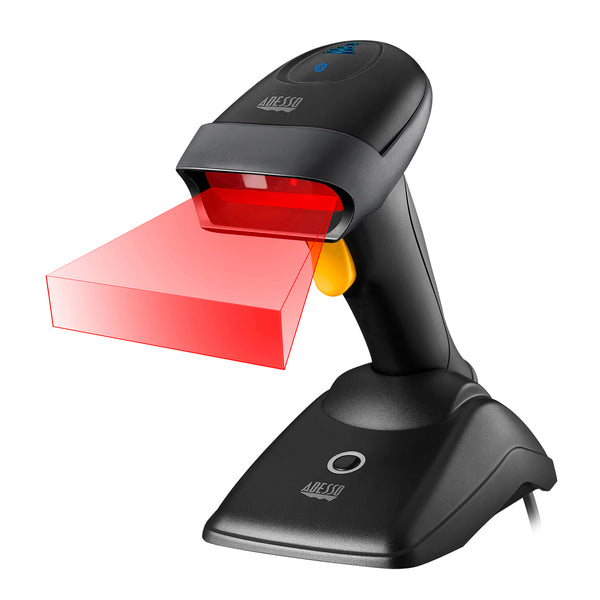
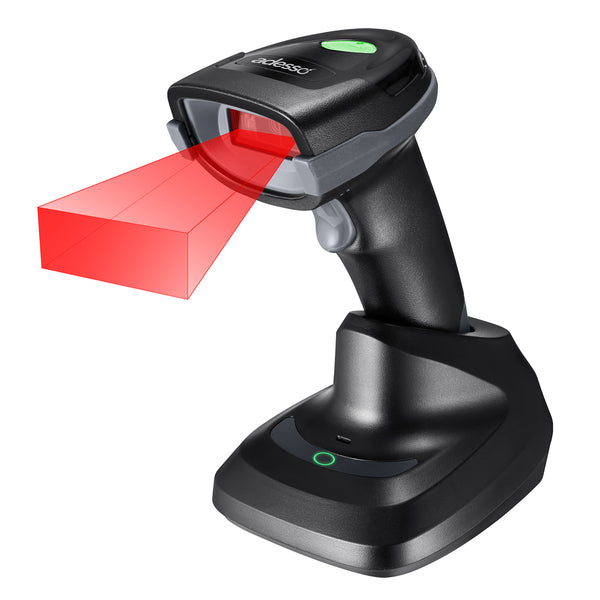
The Adesso NuScan 3000 is the stronger starting candidate when USB-wired operation is a requirement. The supplied title explicitly lists that mode. The NuScan 2500 remains a candidate when Bluetooth or 2.4-GHz wireless operation matches your tested workflow.
Neither supplied listing establishes long-distance scanning or suitability for harsh warehouse conditions. Treat both as candidates for a controlled workstation trial, not as verified replacements for specialized warehouse equipment.
| Option | Best for | Documented advantage | Key limitation |
|---|---|---|---|
| Adesso NuScan 2500 | Teams evaluating a wireless handheld reader | Lists Bluetooth, 2.4-GHz connectivity, 2D scanning, and a charging cradle | Supplied description does not establish USB-wired scanning or warehouse environmental ratings |
| Adesso NuScan 3000 | Stations requiring a USB-wired option alongside wireless modes | Lists Bluetooth, 2.4-GHz connectivity, USB-wired operation, 2D scanning, and a charging cradle | Supplied description does not establish application compatibility, working range, or warehouse environmental ratings |
The following Scott Radio & Electronics barcode scanners match the connection choices discussed above. Compare the exact model descriptions, then resolve the remaining requirements before buying.
Common mistakes warehouse inventory teams make
Buying for the cleanest label
A clean product label on a flat carton is only part of the job. Include the shelf labels, supplier packaging, and damaged labels workers encounter, and document which failures require relabeling rather than different hardware.
Treating wireless connectivity as warehouse coverage
A 2.4-GHz connection specification does not state a usable distance through your racks or around your equipment. Test the actual route with the intended host and confirm the reader’s behavior when the connection drops.
Counting a beep as a completed transaction
A decode signal does not establish that the inventory application accepted or saved the entry. Require workers to verify the application result, especially when changing locations, quantities, or transaction screens.
Ignoring shared-station setup
A scanner configuration that works for one operator can fail after a workstation change or reconnect. Record the connection method and application settings, and make the restart procedure part of the pilot checklist.
Ask for help with a complete requirements packet
Before your 2026 order, contact the store with the exact scanner model under consideration, host-device model, operating system, inventory application, and intended connection mode. Include clear label photos and describe whether workers scan at a desk, from a cart, or while moving between locations.
State what remains uncertain. Asking whether a specific model supports your required interface or documented barcode format gives the store a concrete question to address; asking whether it is suitable for a warehouse leaves too much undefined.
FAQ
What’s the best way to choose barcode scanners for warehouse inventory?
Choose by your actual labels, host connection, and complete inventory transaction. Test representative labels and confirm the saved item, location, and quantity before expanding the setup.
Is the Adesso NuScan 3000 better than the NuScan 2500 for a wired station?
The Adesso NuScan 3000 is the better starting candidate when USB-wired operation is required because its supplied listing explicitly includes that mode. The supplied NuScan 2500 listing identifies Bluetooth and 2.4-GHz operation, not USB-wired scanning.
Will a Bluetooth barcode scanner work with my inventory software?
Bluetooth alone does not establish inventory-software compatibility. Confirm the host operating system, supported input interface, application field behavior, and transaction result.
Do warehouse teams need a 2D barcode scanner?
Warehouse teams need a reader that supports the barcode formats used in their workflow. Both listed Adesso models are described as 2D scanners, but their exact supported symbologies still need confirmation.
Does a charging cradle mean a scanner supports wired scanning?
A charging cradle does not establish USB-wired scanning capability. Verify the manufacturer’s documented data connections separately from the charging arrangement.
What should I send the store before choosing a scanner?
Send the exact scanner model, host-device details, operating system, inventory application, and intended connection mode. Include label photos and describe any environmental or handling requirements that need documented confirmation.
How should I test a warehouse barcode scanner before a wider rollout?
Run a controlled pilot that checks receiving, counting, and picking from scan through saved record. Include difficult labels, repeated scans, reconnects, and recovery from incorrect entries.
One last thing
Test the wrong scan deliberately. Use a controlled test record to scan an unexpected item or location, then confirm that the application rejects it or makes the correction clear.
A reader that captures every label still needs a workflow that handles the wrong label safely. Make that exception test part of acceptance before the scanner becomes routine equipment.
Related guides
{“@context”:”https://schema.org”,”@type”:”FAQPage”,”mainEntity”:[{“@type”:”Question”,”name”:”What’s the best way to choose barcode scanners for warehouse inventory?”,”acceptedAnswer”:{“@type”:”Answer”,”text”:”Choose by your actual labels, host connection, and complete inventory transaction. Test representative labels and confirm the saved item, location, and quantity before expanding the setup.”}},{“@type”:”Question”,”name”:”Is the Adesso NuScan 3000 better than the NuScan 2500 for a wired station?”,”acceptedAnswer”:{“@type”:”Answer”,”text”:”The Adesso NuScan 3000 is the better starting candidate when USB-wired operation is required because its supplied listing explicitly includes that mode. The supplied NuScan 2500 listing identifies Bluetooth and 2.4-GHz operation, not USB-wired scanning.”}},{“@type”:”Question”,”name”:”Will a Bluetooth barcode scanner work with my inventory software?”,”acceptedAnswer”:{“@type”:”Answer”,”text”:”Bluetooth alone does not establish inventory-software compatibility. Confirm the host operating system, supported input interface, application field behavior, and transaction result.”}},{“@type”:”Question”,”name”:”Do warehouse teams need a 2D barcode scanner?”,”acceptedAnswer”:{“@type”:”Answer”,”text”:”Warehouse teams need a reader that supports the barcode formats used in their workflow. Both listed Adesso models are described as 2D scanners, but their exact supported symbologies still need confirmation.”}},{“@type”:”Question”,”name”:”Does a charging cradle mean a scanner supports wired scanning?”,”acceptedAnswer”:{“@type”:”Answer”,”text”:”A charging cradle does not establish USB-wired scanning capability. Verify the manufacturer’s documented data connections separately from the charging arrangement.”}},{“@type”:”Question”,”name”:”What should I send the store before choosing a scanner?”,”acceptedAnswer”:{“@type”:”Answer”,”text”:”Send the exact scanner model, host-device details, operating system, inventory application, and intended connection mode. Include label photos and describe any environmental or handling requirements that need documented confirmation.”}},{“@type”:”Question”,”name”:”How should I test a warehouse barcode scanner before a wider rollout?”,”acceptedAnswer”:{“@type”:”Answer”,”text”:”Run a controlled pilot that checks receiving, counting, and picking from scan through saved record. Include difficult labels, repeated scans, reconnects, and recovery from incorrect entries.”}}]}