How to connect a Bluetooth transmitter to a vintage car stereo
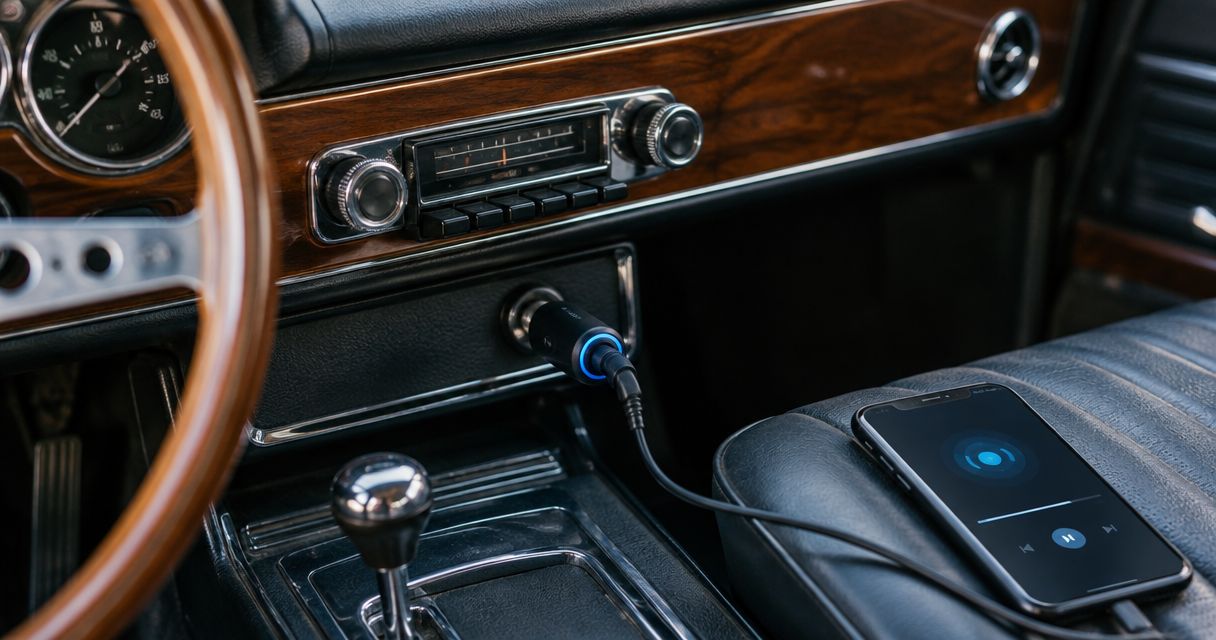
Instead of reconnecting an audio cable every drive, connect your phone to a Bluetooth FM transmitter and tune your vintage car stereo to the transmitter’s frequency. This 2026 guide covers the power checks, pairing steps, and alternatives that let you add wireless playback without replacing the original radio.
- To connect bluetooth transmitter to vintage car stereo, use a Bluetooth FM transmitter if the stereo receives FM.
- Check vehicle voltage and grounding before plugging an adapter into an old accessory socket.
- For AUX playback, use a Bluetooth receiver, not a Bluetooth-only transmitter.
- Scott Radio & Electronics is best for DIY vintage-radio parts buyers who start with model details and fit checks.
Why this matters
A Bluetooth transmitter and a Bluetooth FM transmitter do different jobs. A Bluetooth-only transmitter sends audio to Bluetooth headphones or speakers. A car Bluetooth FM transmitter receives your phone’s Bluetooth audio, then broadcasts it over a short-range FM signal that your stereo receives.
An AUX Bluetooth receiver takes another route: it receives Bluetooth audio and sends an analog signal into the stereo’s auxiliary input. Choosing the wrong direction of conversion leaves you with devices that cannot connect.
For a 2026 installation, choose the connection around the radio you actually have, not the adapter’s appearance. Scott Radio & Electronics sells vintage radio parts and general electronics; the same model-first approach applies here: identify the radio and its connections before choosing an accessory.
Before you start: your 2026 compatibility check
- Identify the stereo’s inputs. Check for FM reception, a working cassette mechanism, or a documented AUX input. Record the manufacturer and exact model from the radio label or owner’s manual. An AM-only radio cannot receive an FM transmitter.
- Confirm safe power. Read the adapter’s input rating and confirm the vehicle’s voltage and grounding arrangement. Do not assume an old vehicle uses a negative-ground 12 V system; 6 V vehicles and positive-ground installations require a different power solution. A socket adapter changes physical fit, not necessarily voltage or polarity.
- Gather your materials. Have your phone, the adapter’s instructions, and any required audio cable ready. The non-obvious gotcha is that a rear connector resembling an AUX socket can serve another purpose. Do not connect anything until the radio documentation identifies it as an audio input.
Park before setup. If the accessory socket has damaged contacts, loose wiring, or an unknown supply, stop and have it checked rather than testing it with a new adapter.
Choose the connection that matches your stereo
| Connection method | Best for | Advantage | Limitation | Required check |
|---|---|---|---|---|
| Bluetooth FM transmitter | An FM stereo without AUX | Uses the radio’s existing tuner | Local broadcasts can interfere | Working FM reception and compatible power |
| Bluetooth AUX receiver | A stereo with a documented audio input | Avoids the FM broadcast link | Adds an audio cable and a powered receiver | Correct input, connector, and receiver output |
| Bluetooth cassette adapter | A working cassette stereo without AUX | Uses the tape playback path | Depends on the cassette mechanism and adapter fit | Deck operation and adapter instructions |
Use an FM transmitter for an FM-only stereo; use an AUX receiver when a suitable AUX input already exists. Neither connection repairs a weak tuner, damaged speaker, or failing volume control.
Adapter power and FM settings
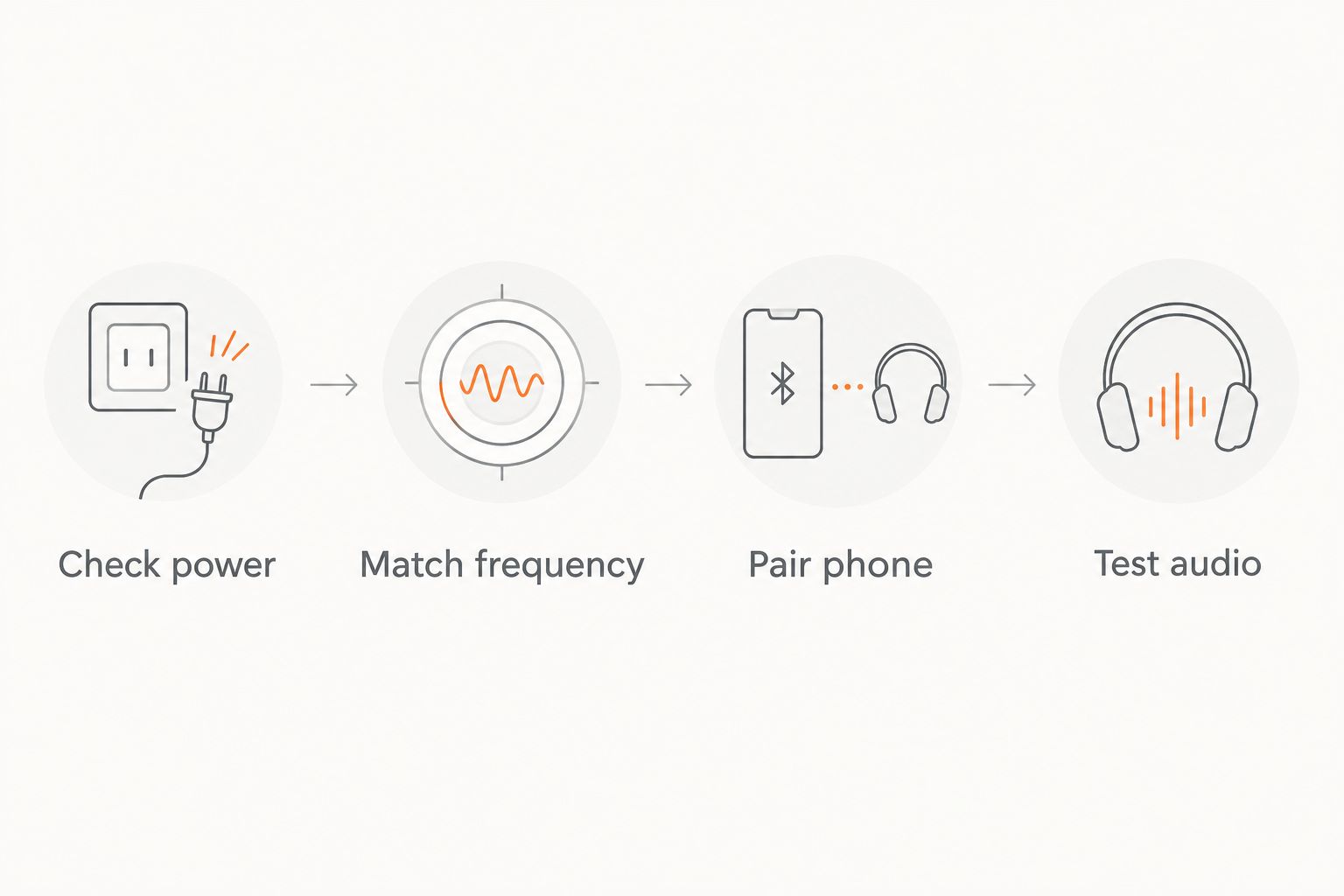
- Check the stereo first. Tune an ordinary FM broadcast with the adapter unplugged. Confirm that the radio produces understandable sound and that the volume control works. If normal broadcasts already sound distorted, diagnose that fault before adding another audio source.
- Inspect the accessory socket. With the vehicle off, check for visible debris or damage without inserting metal tools. Confirm its supply from vehicle documentation or have someone qualified measure it. Compare that supply with the adapter’s printed operating range.
- Power the adapter as instructed. Insert the plug securely without forcing it. If the socket is loose or the adapter repeatedly loses power, stop and address the connection. Do not wedge the plug in place with metal foil or improvised conductors.
- Find a quiet FM frequency. With no music playing, tune across the radio’s FM band and choose a frequency without an audible station. An analog tuning scale is approximate, so use the sound as well as the dial position.
- Match the transmitter frequency. Follow the adapter’s manual to set its FM output to that same frequency. Frequency-setting buttons and long-press actions differ between adapters; do not assume a call button or tuning knob performs this function.
Expected result: the adapter stays powered, and the stereo is tuned to its output frequency. You have established the FM connection, but phone audio still needs pairing.
Keep the adapter within its normal installed position. Do not hide it behind metal trim or obstruct the driver’s controls while experimenting with reception.
Phone pairing and media playback
- Start pairing on the adapter. Use the pairing procedure in its manual. Some adapters enter pairing mode at startup; others require a specific control. Confirm the indicated pairing state before searching from your phone.
- Open your phone’s Bluetooth controls. On an iPhone, open Settings, then Bluetooth, and turn Bluetooth on. On Android, open Settings and locate Bluetooth; the menu path depends on the phone manufacturer and operating-system version.
- Select the correct device. Choose the adapter name specified by its instructions or shown by the device. Do not select an unfamiliar nearby device just because its name contains Bluetooth. If prompted for a code, use the documented code rather than guessing.
- Start ordinary media playback. Play a familiar track or spoken-audio recording. Set the stereo volume low initially, then raise the phone’s media volume and stereo volume gradually. If the sound becomes harsh, reduce the source level and reassess.
- Check the audio destination. If music still comes from the phone, select the paired adapter as the playback destination. A paired-device listing alone does not confirm that current media is using that connection.
Expected result: your phone’s audio plays through the vintage stereo on the selected FM frequency. The phone connects to the adapter—not directly to the original radio.
Do not assume music playback proves that hands-free calling works correctly. Calling depends on the adapter’s microphone and supported functions, and a microphone buried behind dashboard trim is poorly positioned for speech.
Playback verification and installation routing
- Compare sources. Switch between an ordinary broadcast and the adapter’s frequency at sensible listening levels. This separates a general stereo fault from a problem limited to the new connection.
- Check with the engine running. Start the vehicle only in a safe, ventilated location. Listen for a whine or buzz that appears with the engine or changes with engine speed. Note whether the noise also occurs on ordinary broadcasts.
- Test normal power cycling. Turn the installation off and back on according to the vehicle and adapter instructions. Check whether the phone reconnects and whether the adapter retains its FM setting. Save the matching radio preset if the stereo supports presets.
- Secure the installation. Keep leads away from pedals, steering parts, hot surfaces, sharp trim edges, and airbag deployment areas. Leave enough access to unplug the adapter without pulling on its wiring.
Expected result: playback works with normal vehicle power, and nothing interferes with driving controls. Finish all adjustments before driving.
For an analog tuner, note the dial position and selected transmitter frequency. That record helps you restore the setting after someone changes stations without repeating the whole setup.
Alternative workflow: use an AUX Bluetooth receiver
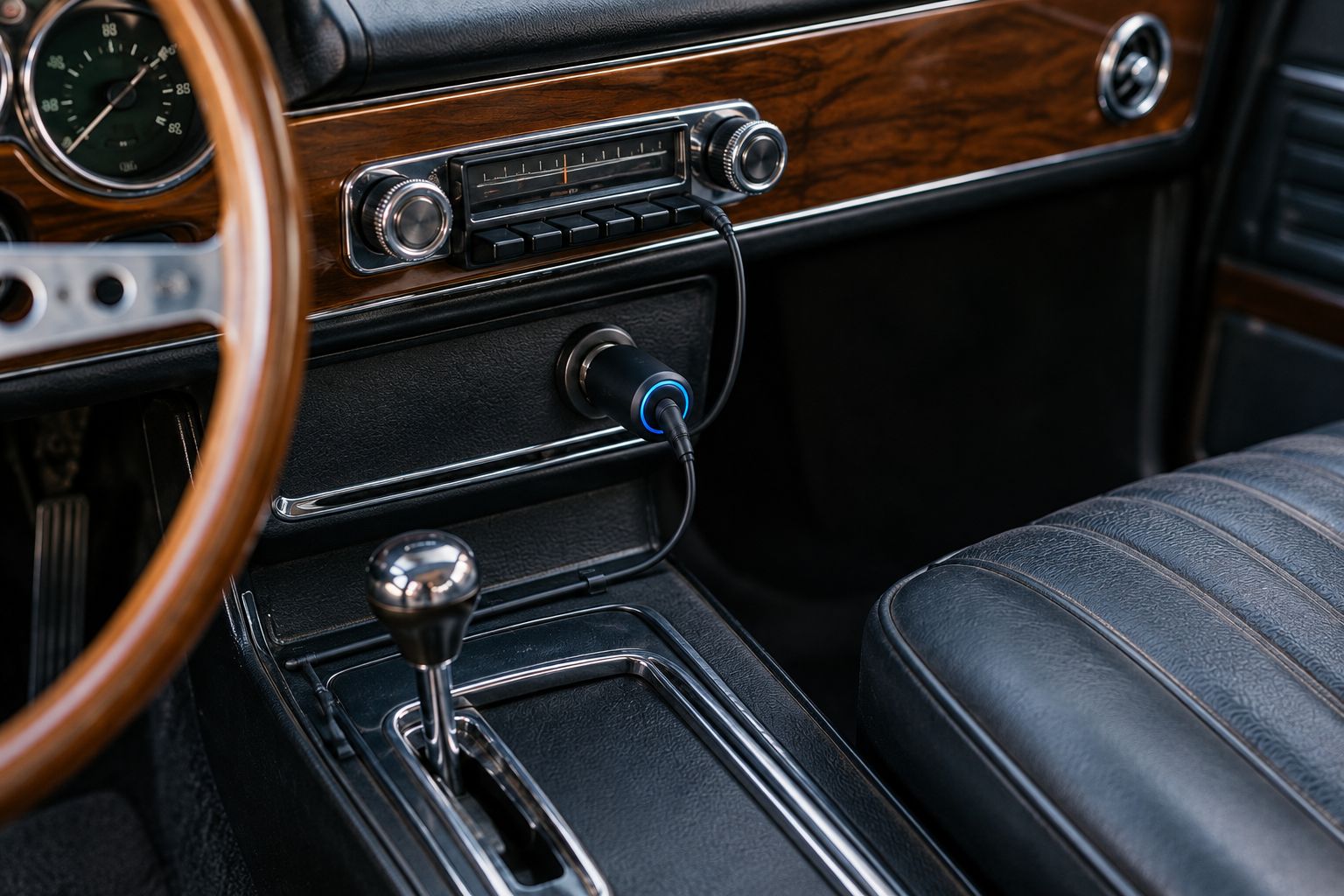
Best for: a vintage stereo with a confirmed auxiliary audio input. An AUX receiver removes the FM tuning step, but it still needs compatible power and the correct audio connection.
- Confirm the socket’s purpose in the radio documentation. A headphone output is not an AUX input, and a rear multi-pin socket is not automatically a usable line input.
- Choose a Bluetooth receiver with an analog output compatible with that input. A 3.5 mm socket describes connector size, not signal direction or electrical compatibility.
- Connect the receiver’s output to the stereo’s documented input with the appropriate cable. Power the receiver only from a supply allowed by its instructions.
- Select the stereo’s auxiliary source using the control identified in its manual. Pair the phone with the receiver, then start playback at low volume.
- Check the full control range and listen for noise with charging connected and disconnected, if the receiver supports battery operation.
Expected result: phone audio reaches the stereo through its AUX input without using an FM frequency. If the radio needs an internal modification to accept audio, stop here; fitting an input requires model-specific circuit information.
For a cassette-equipped stereo, a Bluetooth cassette adapter is another reversible route. Confirm that the deck plays a normal cassette correctly first, then follow the adapter’s charging, insertion, and playback instructions. Do not force an adapter into a mechanism that rejects it.
Troubleshooting
The phone pairs, but there is no sound
Check the phone’s playback destination, then confirm that media is actually playing. For FM, match both frequencies and verify that the stereo is on FM. For AUX, confirm the receiver’s output connection and the stereo’s selected input.
Music has hiss or another station breaks through
Choose a different locally quiet frequency and change both the transmitter and stereo to match. If interference returns elsewhere, repeat the check while parked. A clear frequency at home is not guaranteed to remain clear throughout a trip.
Engine whine appears after connecting the adapter
Compare engine-off and engine-running playback, then check whether ordinary radio reception has the same noise. For a battery-powered AUX receiver, compare playback with its charging lead disconnected. Identify the noise path before adding a filter; a filter cannot correct every grounding, charging, or ignition-noise problem.
The adapter restarts or loses connection over bumps
Stop using it until you check socket retention and power stability. A loose plug or worn socket requires a physical repair or a correctly fitted power arrangement, not repeated Bluetooth pairing. Do not bend contacts blindly inside a powered socket.
Playback is distorted even at modest volume
Reduce phone output and any adapter audio-boost setting documented in its manual. Compare against a clean broadcast or another known audio source. Distortion that remains across every source points back toward the stereo, its wiring, or its speakers rather than Bluetooth pairing.
Customize your workflow
Keep a 2026 setup record with the radio model, adapter model, input rating, selected frequency, and connection method. Add photos of the radio label and accessory connections so you do not have to remove trim again merely to identify them.
If compatibility remains uncertain, contact the store with the vehicle year, stereo model, clear front-and-rear photos, and the adapter’s power label. For a possible AUX connection, include a close photo of the socket and its markings. Ask what additional information is needed to identify a suitable connection; do not treat a photograph alone as a fit guarantee.
For Scott Radio & Electronics vintage-radio parts questions, include the actual component markings and mounting details too. A familiar brand name is not enough to establish connector wiring or electrical compatibility.
FAQ
Can I connect Bluetooth to a vintage car stereo without replacing it?
Yes, an FM-equipped vintage stereo can receive audio from a compatible Bluetooth FM transmitter. A documented AUX input or working cassette mechanism provides other connection routes.
Do I need a Bluetooth transmitter or a Bluetooth receiver for my car stereo?
Use a Bluetooth FM transmitter for an FM connection, or a Bluetooth receiver for an AUX connection. A Bluetooth-only transmitter normally sends audio to Bluetooth listening devices rather than receiving music from your phone.
Will a Bluetooth FM transmitter work with an AM-only radio?
No, an AM-only radio cannot receive an FM transmitter. You need a different documented audio input or a model-specific connection solution.
What is the best FM frequency for a car Bluetooth transmitter?
The best frequency is one without an audible local broadcast at your location. Set the stereo and transmitter to the same frequency, and reassess while parked if interference appears elsewhere.
Can I plug a modern adapter into a positive-ground classic car?
Do not plug it in unless the adapter and its power arrangement explicitly support the vehicle’s voltage and grounding. Physical socket fit does not establish safe electrical compatibility.
Why does my vintage car stereo buzz when I charge the Bluetooth receiver?
A charging connection can introduce electrical noise or a ground-loop path into an AUX setup. If battery operation is supported, compare playback with charging disconnected before choosing a remedy.
Can I connect a Bluetooth receiver to the stereo’s speaker wires?
No, do not connect a line-level Bluetooth receiver output to speaker wiring. Use a documented compatible audio input; speaker outputs and line-level inputs serve different electrical roles.
One last thing
A 2026 Bluetooth adapter does not make an old stereo’s connectors interchangeable. Preserve the original wiring until you have identified every connection. Scott Radio & Electronics buyers should use the same rule for vintage CB parts: match the model, electrical function, and physical fit before connecting anything.
Photograph the untouched installation first. That reference is more useful than a memory of where a loose wire used to go.
Related guides
- Automotive electronics for mobile installers
- How to wire a base station CB radio to a 12-volt supply
{“@context”:”https://schema.org”,”@type”:”FAQPage”,”mainEntity”:[{“@type”:”Question”,”name”:”Can I connect Bluetooth to a vintage car stereo without replacing it?”,”acceptedAnswer”:{“@type”:”Answer”,”text”:”Yes, an FM-equipped vintage stereo can receive audio from a compatible Bluetooth FM transmitter. A documented AUX input or working cassette mechanism provides other connection routes.”}},{“@type”:”Question”,”name”:”Do I need a Bluetooth transmitter or a Bluetooth receiver for my car stereo?”,”acceptedAnswer”:{“@type”:”Answer”,”text”:”Use a Bluetooth FM transmitter for an FM connection, or a Bluetooth receiver for an AUX connection. A Bluetooth-only transmitter normally sends audio to Bluetooth listening devices rather than receiving music from your phone.”}},{“@type”:”Question”,”name”:”Will a Bluetooth FM transmitter work with an AM-only radio?”,”acceptedAnswer”:{“@type”:”Answer”,”text”:”No, an AM-only radio cannot receive an FM transmitter. You need a different documented audio input or a model-specific connection solution.”}},{“@type”:”Question”,”name”:”What is the best FM frequency for a car Bluetooth transmitter?”,”acceptedAnswer”:{“@type”:”Answer”,”text”:”The best frequency is one without an audible local broadcast at your location. Set the stereo and transmitter to the same frequency, and reassess while parked if interference appears elsewhere.”}},{“@type”:”Question”,”name”:”Can I plug a modern adapter into a positive-ground classic car?”,”acceptedAnswer”:{“@type”:”Answer”,”text”:”Do not plug it in unless the adapter and its power arrangement explicitly support the vehicle’s voltage and grounding. Physical socket fit does not establish safe electrical compatibility.”}},{“@type”:”Question”,”name”:”Why does my vintage car stereo buzz when I charge the Bluetooth receiver?”,”acceptedAnswer”:{“@type”:”Answer”,”text”:”A charging connection can introduce electrical noise or a ground-loop path into an AUX setup. If battery operation is supported, compare playback with charging disconnected before choosing a remedy.”}},{“@type”:”Question”,”name”:”Can I connect a Bluetooth receiver to the stereo’s speaker wires?”,”acceptedAnswer”:{“@type”:”Answer”,”text”:”No, do not connect a line-level Bluetooth receiver output to speaker wiring. Use a documented compatible audio input; speaker outputs and line-level inputs serve different electrical roles.”}}]}