CB Radio Knobs and Switches by Model: A Control Guide
Quick Summary
Most CB radio knobs control squelch, volume, RF gain, channel selection or the PA and CB mode. Shapes and labels vary by manufacturer, so the faceplate lettering matters more than the knob’s look. Replacement knobs should be matched by model, shaft type and bore before ordering.
- Squelch silences background hiss; back it off slightly so weak stations still come through.
- RF gain lowers noise in crowded conditions and raises sensitivity for weaker signals.
- Channel 9 is reserved for emergency traffic and channel 19 is the common trucker channel.
- Identify the shaft type, measure the shaft and bore, and dry-fit before tightening any set screw.
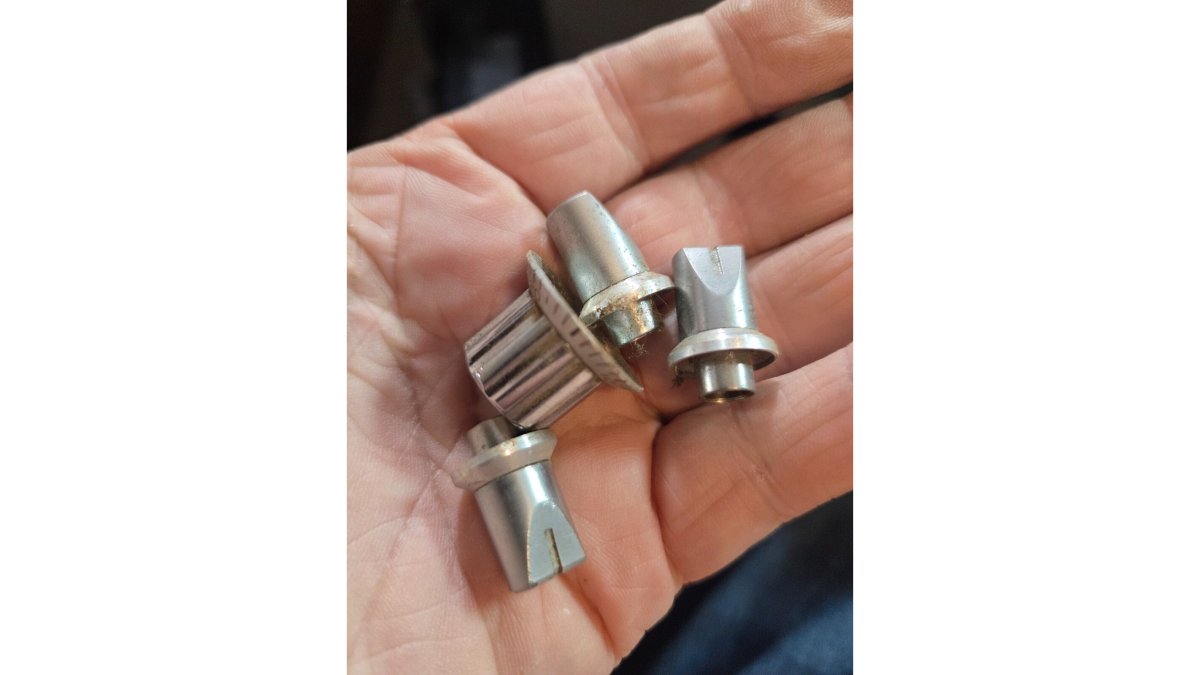
- The Midland 151M silver knob set alone is listed at $15.00.
Table of Contents
- What the Common CB Radio Knobs and Switches Do
- CB Radio Front Panel Controls Explained
- Channel Selection, PA and CB Mode Switches
- Model-by-Model Control Reference for Popular Radios
- Identifying the Right Replacement Knob for Your Radio
- Finding Vintage CB Radio Parts by Model
- Ordering the Right Knobs and Switches for Your Restoration
- Frequently Asked Questions
CB Radio Knobs and Switches by Model: A Control Guide
Last Updated: November 11, 2026
What the Common CB Radio Knobs and Switches Do
Every CB radio has a handful of controls that do most of the work, and they behave differently from radio to radio. Knowing what each one does is the fastest way to diagnose a problem or pick the correct replacement part. Most restoration questions start with the same confusion: a knob that looks identical to another one but controls something entirely different.
Many vintage CB radio knobs do one of a few jobs: they tune the receiver, set output level, or switch operating modes. Shapes and colors vary by manufacturer, so the label on the faceplate matters more than the knob itself.
Squelch and Audio Controls
The squelch control silences background hiss when no signal is coming in. Turn it up until the noise drops out, then back off slightly so weak stations can still come through. Audio controls shape how the received signal sounds, and on many radios they share a knob or sit right next to squelch, which is a common source of mix-ups.
Volume, Power and RF Gain
Volume sets how loud received audio plays through the speaker. The power switch turns the radio on, and on some models it is combined with volume in a single knob. RF gain adjusts receiver sensitivity: lowering it reduces noise and can help in crowded conditions, while raising it picks up weaker signals.
CB Radio Front Panel Controls Explained
The front panel is where most of a radio’s operating logic lives. A typical layout puts the channel selector, squelch, volume and RF gain together, with mode switches and the microphone jack nearby. Learning this arrangement makes it easier to match a damaged or missing control to its original position.
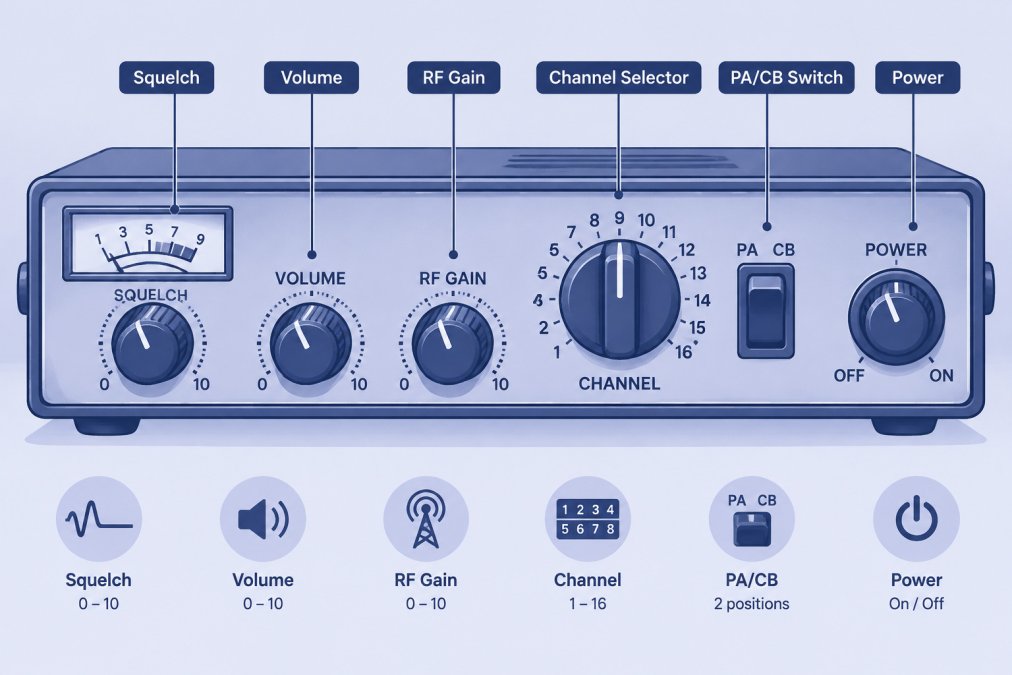
Panel labels are not always standardized. The same function may be printed as “RF” on one model and “RF GAIN” on another, so check the lettering against your radio before ordering anything.
Channel Selection, PA and CB Mode Switches
Channel selection is usually handled by a rotary knob or a push-button array, depending on the era and design. Vintage radios commonly expose channel 9 and channel 19 as special positions, since channel 9 is reserved for emergency traffic and channel 19 is the common trucker channel.
The PA and CB switch decides whether the radio transmits over its public-address function or as a standard citizens band transmitter. Confirm which position you are using before you transmit, because the wrong setting can leave the radio doing something other than what you expect. Normal, emergency and channel 9/19 settings are often handled by the same switch, so note the labeling carefully when you disassemble a unit.
Model-by-Model Control Reference for Popular Radios
Different models assign controls differently, so a generic description will not always match your radio. Use the model-specific notes below as a starting point, then verify against your own faceplate.
Midland 151M Controls
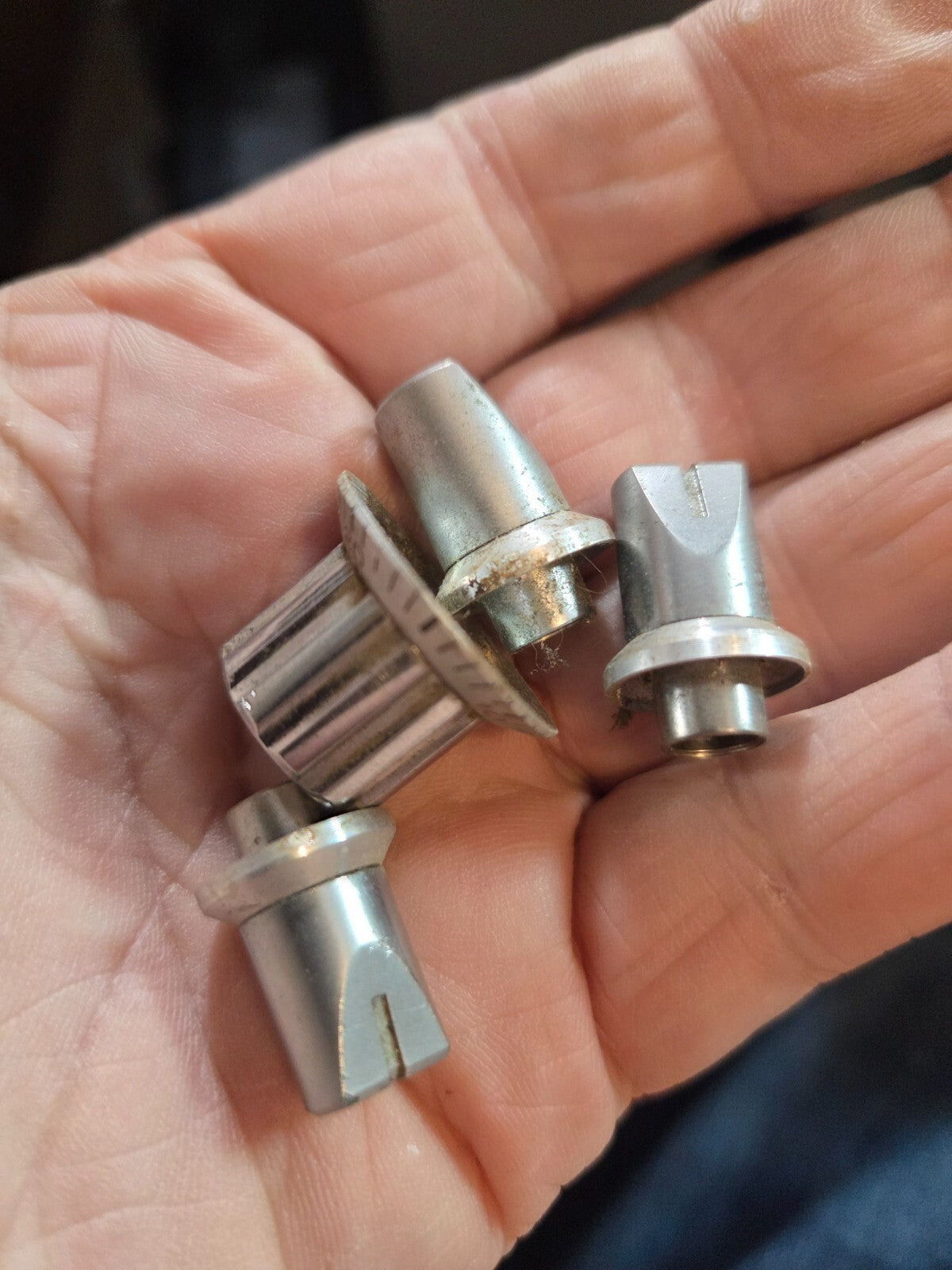
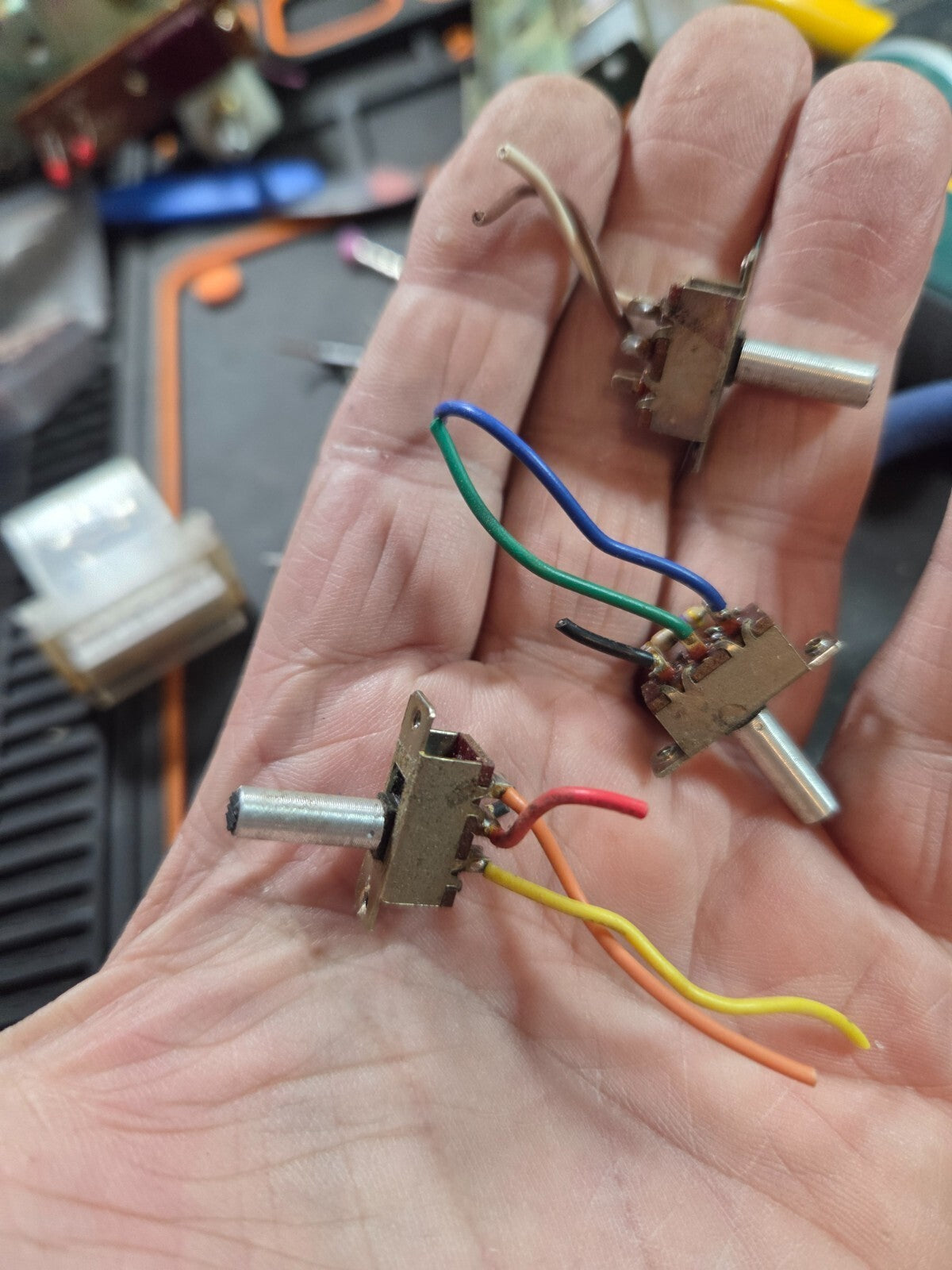
The Midland 151M is a common restoration project, and its replacement parts are sold separately from the radio itself. If your 151M needs new knobs, buy the knob set alone rather than a complete unit. The MIDLAND Model 151M CB Radio: SET OF KNOBS (SILVER) ONLY, not the radio listing is priced at $15.00 and is sold as a silver knob set only. For switch replacement, the MIDLAND Model 151M CB Radio: SET OF THROW SWITCHES ONLY, not the radio set is also $15.00 and is designed to match the 151M’s switch positions.
Midland 887 and Vintage American Electronics Layouts
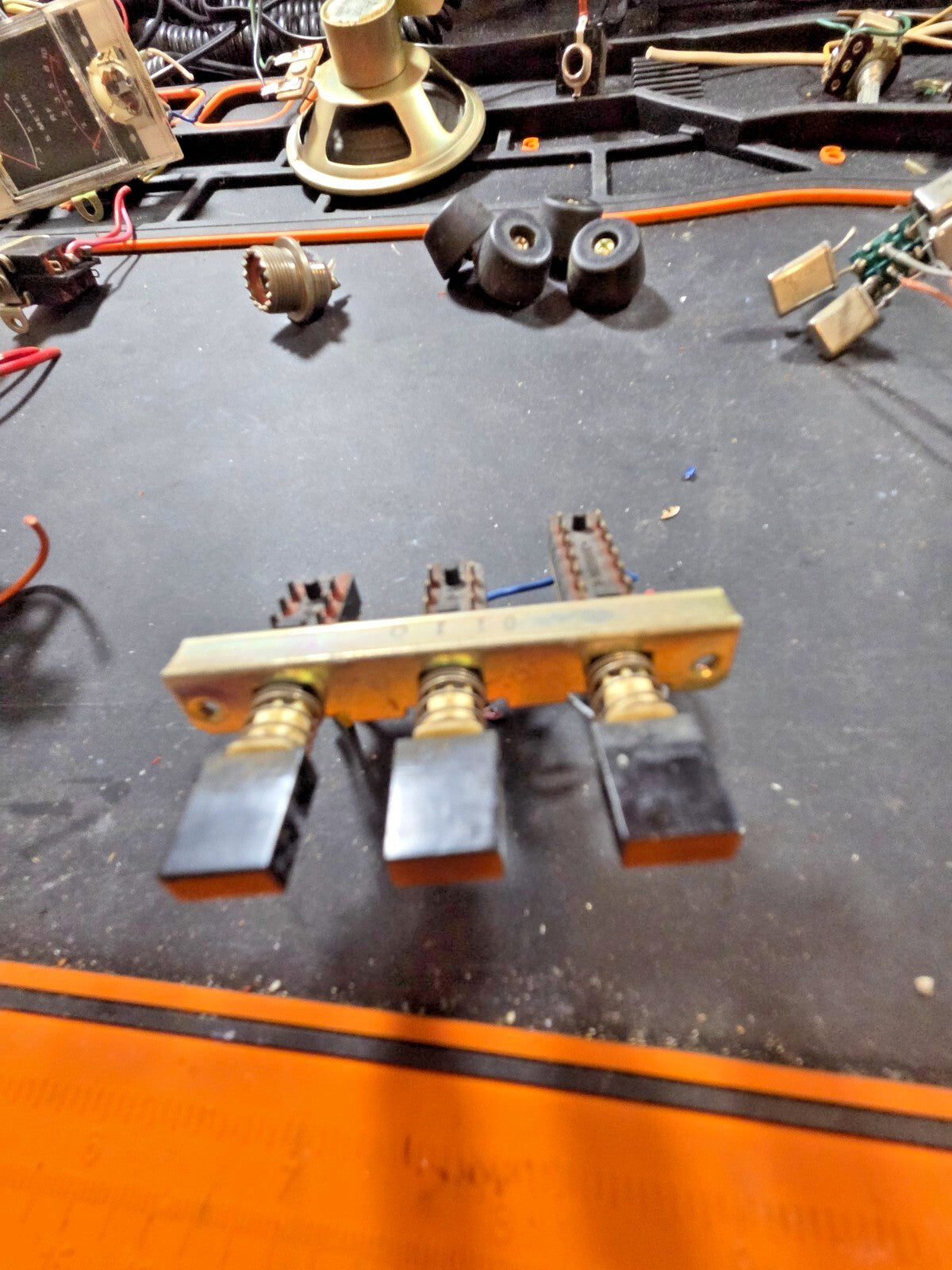
The Midland 887 push-button switch set is listed as a gang of push button switches with knobs. If you are working on an 887, a gang of push-button switches with silver knobs at $30.00 can cover the front-panel functions in one purchase. Compare the knob count, shaft openings, markings and finish with your radio before ordering.
For model 76-551, a channel changer and knob assembly is listed at $25.00. Check that the assembly matches the labeling on your faceplate before ordering.
The article lists specific replacement parts and prices for several popular radios, which can be scanned side by side.
| Model | Part | Price |
|---|---|---|
| Midland 151M | Silver knob set only | $15.00 |
| Midland 151M | Throw switch set only | $15.00 |
| Midland 887 | Gang of push-button switches with silver knobs | $30.00 |
| Model 76-551 | Channel changer and knob assembly | $25.00 |
Replacement part prices for popular CB radio models
Identifying the Right Replacement Knob for Your Radio
Replacement knobs fail most often because the shaft does not match, not because the color or size looks wrong. Before comparing prices, identify the shaft type, the bore dimensions, and the way the knob is retained on the shaft. For guidance on where to buy authentic CB knobs, see our buyer’s guide.
Identify the Shaft Type
Common shaft profiles on vintage CB radios include:
- Round shaft: a plain cylinder, usually held by a set screw or friction fit.
- Flatted shaft: a round shaft with one or two flat faces, so the knob cannot rotate freely on it.
- Splined shaft: a shaft with multiple small ridges, found on some higher-end or later designs.
Remove the knob gently and look at the inside of the bore. Matching the bore to the shaft profile is more important than matching the cosmetic style of the knob.
Measure the Shaft and Bore
Use calipers if you have them. Measure the shaft diameter at its widest point and, where there is a flat, the distance across the flat. Record the knob’s skirt diameter and height as well, since a knob that fits the shaft can still sit too high or too low on the faceplate and rub against the panel.
Verify Model Compatibility
Model numbers usually appear on the chassis, the back panel or a label on the bottom of the case. Compare the number on your radio with the number in the listing, and do not assume that two radios from the same brand share knobs. Model revisions within one line sometimes changed the shaft or the knob count, so check the listing’s stated knob count against the number of control positions on your panel.
A Simple Verification Sequence
- Read the model number from the chassis or back panel.
- Note the shaft profile and measure its diameter.
- Count the knob positions on the faceplate and compare with the listing.
- Compare color, skirt height and label markings against the radio.
- Dry-fit the replacement onto the shaft before tightening any set screw.
Watch out: forcing a knob with the wrong bore onto a flatted shaft can crack the knob or strip the set screw.
Common Ordering Errors
The most common error is ordering from appearance alone. A second is buying a set labeled for one model year and assuming it covers the whole family. A third is overlooking that some switch sets and knob sets are sold separately, so a listing for one may not include the other. Photograph the faceplate before ordering so you can compare labels and layout after the parts arrive.
Finding Vintage CB Radio Parts by Model
Vintage parts are easiest to source when you already know the exact model. Search by model number rather than by general category, and look at product photos to confirm what is included. Many listings sell individual components, such as a switch set or a knob set, without the radio itself, so read descriptions closely.
Vintage CB radio parts are organized by brand and model on our site, which helps narrow the search to the correct chassis. Still, verify the pictured condition and included pieces before purchasing, since vintage components vary in wear.
Ordering the Right Knobs and Switches for Your Restoration
Before buying, confirm the part number, the number of pieces in the set, and whether the listing is for the radio or only for its controls. A set labeled “knobs only” will not include a radio, and buying the wrong piece wastes time and money.
Keep a short parts list for your project: model number, the control you need, the quantity, and the listed price. Compare the list against the radio once it arrives. Ordering the right knobs and switches the first time keeps a restoration moving instead of stalling on a second round of shipping.
Frequently Asked Questions
What do all the knobs on a CB radio do?
Most vintage CB radios use a small set of knobs with consistent jobs. The volume knob sets loudness and often doubles as the power switch. The squelch knob silences background noise until a signal arrives. The RF gain knob adjusts receiver sensitivity, and the channel selector chooses which of the 40 channels you are listening to. Some models add a noise limiter, a clarifier or a microphone gain control. Check your radio’s labels, since manufacturers and model years place these functions differently.
How can I identify a replacement knob for my CB radio?
Start by confirming the exact model number on the radio’s rear label or faceplate. Then measure the shaft diameter, the number of flats or splines on the shaft and the knob’s outside diameter. Compare the knob’s skirt markings and color with the original. Order from a listing that shows the knob count, shaft opening and finish, and compare those details against your radio before buying. Parts from the same manufacturer can differ between model years, so matching the model and year is the safest route.
Can I use a knob from one CB radio model on another?
Sometimes, but only when the shaft type, shaft length and diameter match and the knob’s markings still make sense for the new panel. Knobs that look identical can differ in shaft style, so measure before trying a substitute. Mismatched knobs can slip, sit crooked or fail to engage the control. When in doubt, choose a part listed for your exact model.
Where can I find replacement knobs and switches for a vintage CB radio?
Scott Radio & Electronics sells vintage CB radio parts organized by brand and model. The Midland Model 151M knob set is listed at $15.00, the Midland Model 151M throw switch set is also $15.00, and the Midland Model 887 push button switch assembly with silver knobs is $30.00. A Vintage American Electronics Model 76-551 channel changer and knob is listed at $25.00. Compare the pictured parts with your radio’s controls before ordering.